Showing posts with label digital portable radio. Show all posts

Creative Zen 20 GB Portable Media Center

Creative Zen 20 GB Portable Media Center
  • Watch up to 85 hours of movies, recorded TV or home videos
  • Store and listen to over 9,000 songs
  • Carry and enjoy tens of thousands of photos; Up to 7 hours of video and up to 22 hours of music
  • Large, high resolution 3.8" TFT LCD Screen
  • Removable rechargeable battery for up to 7 hours of video or 22 hours of music

I've had a few days to play with a Zen Portable Media Center because a friend of mine, who's the owner, had trouble getting content loaded. The Creative support folks were friendly, but clueless on this very newly released product. Since I'm his technology guru, he asked me to show him how to get it working.

The Zen is about the size of a paperback novel. It's small but is too large to carry in your pocket. It comes in a nice case the folds nicely into a simple stand. This let's you set the Zen on a table or airline tray-table while using it.

My first impression when I turn it on is that UI is a clone from XP Media Center Edition (which is Microsoft's Media Center PC OS). I own a couple of XP Media Center PC's so found the UI very familiar and intuitive. However, my first reaction was the navigation and play back controls were reversed. I've had a couple of other folks who played with the Zen make the same comment. Perhaps the UI control layout was designed by a lefty (I'm right handed) or perhaps they were XBox users (many XBox games use the left thumb for naviagation). It's a minor nit in any case.

To load content on the Zen you must load Windows Media Player 10 which was just released from Microsoft. Clearly Microsoft wants to get into the content management market and is trying to "one up" the iPod and iTunes by supporting not only audio but video.

However Windows Media Player 10 was where my friend had difficulty. He was not able to figure out the new quirks of the substantially changed Windows Media Player UI. To load new content you must have the Zen plugged in, be in the Sync tab, and then create "play lists" of video, audio and picture contents that you want synced. Once the "play list" is created then the content can be synced to the Zen. It's not hard, but it's a bit of a stretch to call that a play list.

Once you've start the sync process you can prepare to wait... and wait... and wait some more. TV shows saved in XP MCE can be added to the "play list" and synced, however they must be converted to a WMA file that is compatible with the Zen. This takes about the same amount of time as the play time of the show. A half hour show takes about a half hour to convert and download, an hour show takes an hour and so on. Also, TV shows that I downloaded from my XP MCE machine had the colors goofed up. It was sort of like watching the film negative of the TV show. I suspect that's something that will get fixed in a software update (and is not a significant issue for my friend since he doesn't care about TV content).

My friend really wants to load DVD movies for long plane trips (he owns them and doesn't want to pay for them again to download them to his Zen). So this is where I went to work.

My first attempt to load a movie was using a product called "DVD To Pocket PC" by Makayama. It is suppose to convert DVD's directly to wma files for Pocket PC's and is suppose to work for the Zen. I tried the trial version and was initially unsuccessful (presumably because XP SR2 was installed). I ended up trying it on a non XP SR2 machine and it worked well. Since the application is fairly turnkey, it's probably a good choice for moving content from DVD's you own to your Zen.

Next I tried Dr. Divx. This application can convert unencrypted DVD's to Divx avi files. This worked for me (though it took a few tries to get the hang of it), however it's not nearly as turnkey as "DVD To Pocket PC". Also, Divx conversion takes awhile (somewhere between 2-4 hours for a full length movie). Be sure to use one of the portable formats because the Zen has a limited bit rate it can support. I had a little trouble getting the aspect ratio right, but a few tries resolved this too. Once the movie is converted then you must go to Windows Media Player 10, put it in a "play list" and sync it with the Zen. This takes awhile, but is worth the wait. The movies look and play great.

Having used it for a day or so I have a wish list of features that the Zen doesn't have (nothing here is a killer problem, but would make a good product even better).

* It needs parental control I'd like to protect some content from my kids. Currently there is no way to do this.

* I'd like visualization plug-ins when listening to music.

* Since it's used during travel, a travel alarm clock feature would be very nice.

Pros:

* The player sounds good, the UI is great, and the size is very convenient, and the features are fantastic.

Cons:

* It's a bit pricey

* Moving TV content was only partially successful from my XP MCE machine (though I suspect this will get fixed), moving content is very time consuming and is probably something you want to do over night.

* It's not really a direct replacement for an iPod (it's too darn big). Though that's not really a fair criticism of the Zen because it's not intended to directly replace the iPod

All in all, this is an impressive product, even considering this is V1.0 of the software management (WMP 10), and the hardware, and the firmware.

.

Buy Creative Zen 20 GB Portable Media Center Now

I recently bought an Archos, but had to take it back because it failed within a week. The replacement went the same way, so being sold on the concept, I went for the Creative Zen as a replacement.

Although it lacks all the recording feature of the Archos, I think its a better machine. So far, its tough enough to stand the kids use in the car without any signs of fatigue.

For content, I find it better to skip Media Player 10 altogether, and I bought a program for $ 25 called the Pocket DVD Wizard, which lets me put my DVD's on the Zen, and the quality is good.

A good tip is not to use Media Player to load the file at all, just let the Wizard do its work, then plug in the Zen, go to Windows Explorer, and drag the movie or mp3 from wherever you saved it straight into the video folder on the zen.

Its much faster that using media player, and the results seem to be better (one less conversion!)

Overall, im very pleased with it.

Read Best Reviews of Creative Zen 20 GB Portable Media Center Here

I had been waiting patiently for PVP (Personal Video Players) to arrive. Saw Archos, wasn't impressed. Creative Zen looked really good at the store, so I bought it. Have been playing with it. The video and audio play features are pretty reasonable. The speakers could be made a bit louder. The major flaw with this device is the limited ways in which u can load up the video files into it. You will need a Windows Media Center PC OR a PC with a TV tuner/capture device to get video in acceptable formats accepted by Zen. Annoyingly it does not have video/audio inputs for capture. It has video/audio outputs to connect it to a TV. The Windows Media Player 10, converts all files to wmv (very slowly) before syncing it with Zen. The Zen, irritatingly needs to be connected to the PC while the Windows Media Player converts the mpeg files to wmv. I am sure that there are lots of third party tools that can handle the capture/conversion rapidly, but I don't feel like investing more into this solution after spending 500 dollars on it. On the plus side, it is a very well made and polished piece of hardware. The video screen is very sharp and clear. I will probably return this and wait for the next release of Zen, or maybe wait for Apple to redo the magic they did with Ipod and hopefully they release a video version of Ipod. If you already have lots of video content already available in easily convertable format and/or own a media center pc, go ahead and buy this device. I guess I will wait around for version 2.0 of this device. Takes too much time and hassle to load up media onto this device. Creative should go with Linux and/or their own proprietary media management software. I own the Creative Zen MP3 player and the software is okay , if not excellent. Microsoft Media Player 10 was a bad choice.

An update to the review. I have recently bought iRiver PMP-120 that is NOT based on Microsoft Media Center. There is another iRiver product model, PMC-120 that is based on Microsoft media center. Dont buy PMC-120, as U will run into same problems as the Creative product. With the iRiver PMP-120 + Pinnacle Dazzle USB Capture Card + Pinnacle Studio software + iRiver supplied DIVX codecs, I have been able to successfully capture a/v signals from my dish tv box, and then import them onto iRiver PMP-120. End Result : A portable DVR that can play captured video whenever I want. I was even able to capture HD channel outputs from my dish tv box using the A/V cables. You will need to experiment with AVI formats and media conversion, before you get it right. The Pinnacle Dazzle capture device + software is about 60 bucks. iRiver provides all the media converter software and DIVX codecs that make it easy to import videos. Use the Portable Media Center profile, when using the iRiver DIVX codec.

Want Creative Zen 20 GB Portable Media Center Discount?

Okay, I've had the Creative Zen PMC for a few months now and I think I have had enough experiences at this point to share my opinion. I absolutely think that this device is awesome!! There are a few things that could be improved with the next model but overall the unit is great. First off, I am 25, and active duty in the military. I also take full time classes in college to finish my Masters degree. I needed something that I could store files on while moving between computers, I wanted to take Mp3s with me everywhere I go, and finally, being able to watch some movies on a plane or even during a TDY and be able to look at pictures of my family and my girlfriend, which was a must. This device delivers on all of my expectations. It is very easy to use, very simple to figure out how to interact with the device and more or less, the unit stand up very well. The screen is rather prone to fingerprints but the screen is VERY crisp and clear. The battery life is about 7.5 hours watching movies so you can easily get through a plane ride. The battery comes out easy enough to change and a spare battery is priced well (Around $35). I wish that you could charge a spare battery in one of the charging cradles rather then having to put it in the unit in order to charge. But not a big deal. The external speaker is not very loud but the headphone jack offers superior sound!! Scrolling through the menus was easy enough for my 5 year old nephew who reads pretty well. Putting movies on this unit is easy but a little involving. Later in this review I will tell you EXACLTY how to put the movies on from DVD to Mpeg-1. But first, the optional devices. I HIGHLY recommend a charging cradle which allows you to just drop your PMC into the cradle and transfer files from your computer. The USB port also charges the unit as well which is very convenient. Oh yeah, you can charge this unit from any USB port which makes it yet again, very versatile. I would suggest you get a couple cradles like I did. They are very cheap and you can keep one connected to your computer and the other connected to your stereo like I did. With a cradle connected to your stereo, you might want to get the optional wireless remote. The remote is easy to use and only has a few buttons which made me happy. Efficiency is achieved through simplicity. Windows Media Player 10 is definitely not my favorite program in the world but it does effectively transfer files to their right location well and in a decent amount of time. This allows you to truly "Drag and Drop" just like advertised. The program will then convert any files over to an applicable format. Please don't complain about conversion times and processes. This thing is designed to use specific formats to maintain simplicity.

NOW HOW TO GET DVDs ONTO YOUR PMC!!!!

Now, the first thing you need to do is relax and don't be an impatient wuss. When I was only 140 lbs 7 years ago and started working out in the gym, I knew that it was going to take patience and dedication to get to the lean 215 lbs I am "7 YEARS LATER!".

Anywayz, you will need the following "FREE" software: Smartripper, TWO versions of DVD2AVI (Versions 1.82 & 1.77.4), and finally TMPGEnc.

Two different versions of DVD2AVI are needed because interaction problems regarding SP2. If you do not have SP2, then I would guess you might not experience the problems I had. It took me a day or two to search for, pinpoint, and bypass what was going wrong regarding interaction and I finally realized that it was the simplest to use two versions. Anywayz, when you download version 1.82, rename that as "DVD2AVI SOUND", as this version will correctly process your sound. When you download version 1.77.4, rename that as "DVD2AVI VIDEO", as this one will correctly process your video.

First use Smartripper to rip your .vob files into a folder. Open DVD2AVI programs and properly process your D2v files (You will know what this is once you start using the program) and the 2channel sound file). When you are finished processing those files, then you will want to open TMPGEnc and put it all together. TMPGEnc will ask you for a video stream and an audio stream. It will then allow you to create a destination location. Just put it on your desktop for now and then move it later. (...)

Now the final thing to remember is the same as the first: BE PATIENT!!! Your computer is not lightening fast no matter how expensive and brand new it is. It takes time to convert files. There are some programs advertised out there that claim to do all of this in no time at all and for a nice hefty price. My suggestion to you is to learn about your computer and your device by trying it yourself. These files are free and I promise you, THEY WORK!! I was blown away at how nice of a job it came out. God luck to all of you and I suggest you seriously give this product a chance!! Once you learn how to interact with it, you will be amazed at how easy it is to use.

I don't know what all these guys are smoking, but this thing is great. I am a gadget geek, but this is very easy for a pc user to use. All you need is media player 10 and an XP pro machine or MCE. Convertion does takes some time, but it converts the video to utilize space , and all video convertion takes time.

I have an ipod as well but this is with me at all times, with my TV shows with me on the road that i capture hi def...looks sweet.

Get this if you want a great multimedia portable with great battery life.

And common 425.00 is not alot for this device.

Sangean America WR-3 Digital AM/FM/CD/SD/USB MP3 Table Top Radio (Black)

Sangean America WR-3 Digital AM/FM/CD/SD/USB MP3 Table Top Radio
  • Radio Data System with radio text, program type, station name, and automatic clock time (where available)
  • Compact disc drive supports MP3/WMA playback on CD-ROM/CD-R/CD-RW formats
  • Dynamic bass compensation for high-quality rich bass
  • Full-function IR remote control
  • Alarm and sleep timer
  • CD MP3 Playback
  • Menu System
  • SD Card/USB MP3 Playback
  • Search and Manual Tuning

After much deliberation, and as much research as the Internet would afford me, I decided to buy this radio and try it firsthand. As always, I felt safer buying from Amazon because of their fair return policy and outstanding reputation. I knew I was going into this somewhat blindly because there are precious few reviews of this piece anywhere online, and even fewer by real folks like me.

Anyway, I got the product yesterday and test drove it in depth last night. Its first impression is an excellent one. The substantial heft and gorgeous "piano" finish would probably sell a ton of these radios if they were more readily available in stores. Set up was expectedly simple, and the user's manual wasn't needed until later on. Personally, I liked the metal, telescoping antenna mounted on the rear of the unit (where, by the way, you'll find a clean array of additional I/O plugs and the "3-D" sound selector. From every angle, this is a beautiful radio.

The first thing I did after plugging it in, was check a few local FM stations. They all came in very well, which was no surprise given Sangean's radio heritage. Be certain of one thing about this unit: it is a radio first, and then a CD player, audio file player, etc. The RDS feature was a novelty, but not as intuitive or lavish as I was hoping for. I'm not entirely familiar with what RDS normally provides on most equipment, though, and I don't fault this unit for anything in that respect.

It wasn't until I put in the first CD (a standard "red book" audio CD) that I experienced that all-too-familiar consumer electronics letdown. It didn't play. The unit acknowledged that it read the CD and recognized how many tracks were on it, etc. But I could not get it to play any of it. The CD was not suspect; in fact, I deliberately started with a CD that was playable on every piece of CD equipment I've owned. Subsequent discs, however, did work, and apparently with no further problems.

It was while I was waiting for the first CD to play that I removed a promotional sticker the factory had stuck on the front of the unit (advertising what types of media it can play). Where every other manufacturer I've seen has used a static-cling or no-residue adhesive to make sure the sticker comes off cleanly, such was not the case on this radio. The sticker came off with much effort and left behind quite a bit of very stubborn adhesive. This might've been negligible had this radio not been so beautifully finished, and the sticker not been put in so prominent a spot on the front. While this had no bearing on the player's performance, this was pretty disappointing to me.

In playing with the sound options--the part of this unit I had the most interest in and curiosity about--I ultimately realized that even the fine design and speaker capabilities of this radio/CD player are limited by the direction of the speakers and bass firing. In a very specific listening zone, this sounds pretty good. And by specific I mean, I found that directly facing the speakers from a distance of about 6 feet, with some peripheral area to either side, was ideal. Step much further outside this cone of sound, and the overall listening experience is compromised significantly (though the 3-D sound effect lessens the degradation a bit). This is more a limitation imposed by the direction of the speakers, and not by the design or components. But it's reason enough in my opinion to consider a radio/CD player with detachable speakers, unless you're using this on a nightstand or a very small room.

The USB and SD card input options are really fun novelties, and I wish more manufacturers would get hip to this simple technology. But in the end, when you have a unit that already plays MP3 CDs, these additional formats aren't as needed.

In the end, after only a day, I'm sending it back for a refund because of the fickle CD player issue. I'd rather not take my chances on this one. In a nutshell:

Pros:

-product feel and look

-simple set-up and easily moved

-excellent radio capability

-clean inputs and outputs on the back

-telescoping FM antenna

-full function remote

-SD card and USB drive options

Cons:

-Small "ideal listening zone"

-Unnecessarily bright display

Too bad these aren't in your local store where you can play around with them in advance. Hope this helps.

Buy Sangean America WR-3 Digital AM/FM/CD/SD/USB MP3 Table Top Radio (Black) Now

Originally I had been eyeing the Tivoli radio brand because of their tuning sensitivity. I listen to late night AM radio and unfortunately most radio manufacturers produce poor quality radio receivers nowadays; from what I read on HD radio it didn't sound that beneficial to me, signals are said to cover less territory. I also wanted a CD player which meant the Tivoli would come in three pieces too large for my night stand and I assumed it would not play MP3's because the literature made no mention. To top it off I felt the Tivoli was too expensive so I searched for other makes and found the Sangean. Surprisingly, I could find only one professional and one personal review which made me cautious why so little mention/notice? I am also leery of professional reviews as many times they won't say anything negative about a product due to advertising relationships.

After reading the reviews and specs, and finding a refurbished unit, I took the risk and made the purchased. What a pleasant surprise. The radio has a nice gloss black finish and is heavy, actually nicer than the pictures. Sound quality was better than expected even to my audiophile ears. I download favorite Internet radio MP3 interviews and load them to a USB thumb drive which plugs into the front of the Sangean. Control is mostly made from a thin card-like remote control. I highly recommend the item.

ImprovementsSome notes on what I thought could be changed or didn't like but is true with most table top radios these days: blue lit display will dim but is still too bright, wish it had the option to turn off altogether. I think the USB slot should be in the rear of the radio so the cable or drive isn't hanging out front. I don't particularly like being dependant on the remote control, just in case it gets lost. It would be nice to have controls all on the unit. No battery back-up for presets and clock. If you lose power, guess what? You lose clock time, radio presets, and the clock alarm. So, if you set the alarm, lose power in the middle of the night, you might be late for work. Not too smart. Needs a battery backup. One other comment Sangean makes an interesting wireless Internet radio. I would have been tempted to purchase that if it had all the other features of the WR-3. Why not combine Internet radio with AM/FM CD USB?

Read Best Reviews of Sangean America WR-3 Digital AM/FM/CD/SD/USB MP3 Table Top Radio (Black) Here

I bought this radio for my kitchen, which is a high traffic, high use area. It has great sound but the features are the real sell. I was frustrated because most everything out there was focused on the iPod which I will never own. Also, most of the CD players will play mp3s but not wma format. My collection of thousands of songs are wma. This radio plays mp3 and wma formats from 3 different sources (USB drive, SD card or CD). It also has an aux jack so I can plug my (non-iPod) player in. Now, my kids and I can each have our own music on whatever media we like and just plug it in. On top of all this, it has RDS (Radio Data System) that tells you the names of songs and groups from radio stations that participate. I have always loved this feature on my car radio.

Now for the downside. All the functionality is on the remote. All you can do from the radio is power and volume. I would have liked a little more functionality available on the radio. Also, there does not seem to be a way to make it so the RDS display is the default. I have to hit the mode button when I switch to a station that supplies RDS. This radio is a little pricey but well worth it and much less expensive than the Bose Wave radio that has nowhere near the features.

Want Sangean America WR-3 Digital AM/FM/CD/SD/USB MP3 Table Top Radio (Black) Discount?

No problem with reception or sound quality, those were excellent as other reviewer's have stated. The remote as noted by others is required to do anything at all, and if anything the flimsy feel is worse than others have stated. Worse yet is that one large volume knob in front of the unit, this thing overall is built like a tank, but that knob in front feels like it will break off very quickly.

We still would have kept it even with these flaws, but the video display went to all exclamation marks after only about a week or so of use, seems to me like it burned out because it was very bright, abnormally bright from an electronics design point of view. Something voltage or current wise is not calibrated correctly there, I suspect.

It's like, they were 88% done making a really great product, and cheapened out on the last few details, and compromised the whole thing. We sent ours back for a refund, and Amazon return policy is NOT that easy, major pain shipping back because the original box they used to ship to me fell apart.

Save 27% Off

My wife and I recently decided to rearrange our living room. Part of the problem was a large entertainment center full of audio components and flanked by two large floor speakers that dominated a complete wall. This made it tough to arrange things how we wanted. The solution was to lose the entertainment center, upgrade to a wall-mounted flat screen television and replace the stack of component audio gear with something simple, self-contained and compact. I had originally planned to replace this "mission control" audio gear with a Bose Wave radio, having marveled at the nice sound from one owned by a friend some years ago. Upon researching the available choices among the competition, I discovered the Sangean WR-3. I suspect Sangean is virtually unknown to most folks. Sangean has long manufactured portable shortwave radios with which I'm well familiar. I also purchased a Sangean WFT-1 wifi internet radio last year and was very impressed with the quality of this product. This afternoon, I received my new WR-3 from Amazon and quickly unpacked and set it up for a test run. This product is quick and intuitive to setup and didn't require any help from the owner's manual. I was completely astounded by the "presence" of sound from this relatively small box. The only similar product I had to compare it to is a friend's Bose Wave radio. Both have fine sounding full audio, but the Sangean has a "3D" switch on the rear panel that when enabled, made a profound difference in stereo separation. It's uncanny how the sound of this product emulates that of a much larger system with much larger speakers. The Sangean WR-3 has separate bass & treble controls which are lacking on my friend's Wave radio. Bass response is strong but not "boomy" and obnoxious. The WR-3 is quite loud at full volume too and has a complete lack of distortion. So, are there competing products that sound better? There may well be, but the WR-3 must certainly rank among the best. I can't imagine anyone being disappointed in the way it sounds. Indeed I suspect most users will be just as astounded as I.

The other thing that struck me is the obvious look and feel of a quality product. It's quite an attractive piece with it's highly polished black plastic case and fabric-covered speakers. The display is bright and automatically dims itself after a short time after the last button is pressed. Still, the blue illuminated ring around the volume control and the display backlight remain on even when the radio is off. "Off" therefore may be more accurately described as "standby". For those intending to use the WR-3 as an alarm clock/radio, the constant display illumination may be an issue. Another quirk is that the RDS function of FM reception must be manually enabled by a button press on the remote before it displays artist/song, etc. The included telescopic FM whip antenna works well in my suburban home and I found the tuner to be quite sensitive and selective. AM reception sounds great as well. This model is one of the few that features a real internal ferrite loop antenna for the AM (MW) band. The ferrite MW antenna design performs far better than the plastic-frame wire loop external antenna supplied with nearly all competitor's radios. In fact, the provided antennas became one of the key features that prompted my choice of the WR-3 over the competition. The downside of a built-in ferrite AM antenna is that they are quite directional and may require that the entire radio be rotated for best reception of weaker AM stations depending on the direction from which the signal arrives relative to the radio. For me, this was only a problem with very weak AM stations located well beyond a reasonable listening distance. It's simply much cleaner to have the antennas built into the case than to have unsightly external antennas and their connecting wires. The telescopic FM antenna provided with the WR-3 may be extended just enough to offer good reception in metro areas and may be rotated to hide it if desired. Fully extended, the telescopic whip enabled good reception of normally weak stations well beyond their intended listening area. The FM telescopic antenna provided simply screws onto the 75-ohm type-F connector on the back panel, so a much more substantial external antenna may be used for rural area users in tough reception areas. The tuner itself is most certainly well designed and capable of good performance of weak signals with a suitable antenna. CD performance is excellent with a motorized disc transport mechanism that operates just like an automobile CD player. The WR-3 features an auxiliary audio input jack mounted where it belongs on the rear panel. I connected the auxiliary input to my Sangean WFT-1 wifi internet radio with excellent performance. The combined package is still compact and quite an entertainment package! The 1/8" (3.5mm) auxiliary jack may be driven by audio from a myriad of sources such as a multi-CD changer, portable audio player, etc. A press of a button on the included remote control selects the auxiliary input and the volume is adjusted normally with the large front-panel volume control or by the remote. Incidentally, nearly all functions and features of the WR-3 are controlled by the remote control. The radio itself has controls only for power on/off, volume and CD eject. This may be an issue with some users but appears most of the competing models are designed similarly. The thin-profile remote control included with the WR-3 is comprehensive with all control buttons intuitively layed out.

Overall, the WR-3 is a well-made, visually attractive product that features outstanding sound. It's a great option for those like me who prefer a simple self-contained audio system that compares favorably with the average component system yet doesn't take over the room. There are some very nice competing products from the likes of Bose, Polk Audio, Cambridge Soundworks, Tivoli, Yamaha, etc but the Sangean WR-3 compares very favorably yet is among the lowest priced. It includes some design elements of the best competing models the provided antennas being one most noteworthy. It will be interesting to see if Sangean offers a future version that integrates wifi internet radio reception with AM/FM & CD audio into a single unit. In my opinion, the WR-3 leads the pack where value is a fundamental criterion.

Scosche IALM Alarm Clock for iPod

Scosche IALM Alarm Clock for iPod
  • Wake Up To IPod Or Buzzer
  • Digital FM Radio Tuner
  • Multifunction Back Lit LED
  • Safely Charges Your IPod While It Is Plugged In

We wanted an inexpensive clock/radio/iPod dock for our 8 year old. There is constant static with the radio function turned on, and a constant buzz when the iPod function is in use. This item is an example of "you get what you pay for". We'll be retuning it to Amazon for a better quality product.

Save 66% Off

Sony SRFM70 Sports Walkman Digital AM/FM Stereo Radio

Sony SRFM70 Sports Walkman Digital AM/FM Stereo Radio
  • AM/FM digitally tuned radio with local/distant (DX) switch
  • 10 station presets
  • Built-in digital clock with stopwatch and 3 functions
  • Vertical, ear-piece headphones
  • 10-station memory preset tuning (5 AM, 5 FM)

Mine finally died after 10 years of hard use. The thing is a bit bulky but the radio is very rugged. Picks up both AM and FM stations very well. If you like your FM music LOUD without distortion, this radio is for you. Requires 2 AAA batteries where as most "sports" radios only have one. One battery isn't enough power to play music loud and distortion free.

I've dropped mine a couple times and sometimes you'll lose all the station presets but resetting them is simple.

The belt loop is rugged and secure as well. Too bad Sony doesn't make this any more

Buy Sony SRFM70 Sports Walkman Digital AM/FM Stereo Radio Now

These days 10 preset stations for a radio is not much, and it also is a little oversized. What I like about it is the clock and -especiallythe timer that lets you listen for a certain number of minutes (between 1 and 120) before it stops the radio and starts beeping. Of course, if you turn it off/on before the set time, the radio will not stop, and the beep will not sound. Tuning is very good but sound is not the best (a personal opinion, certainly).

Read Best Reviews of Sony SRFM70 Sports Walkman Digital AM/FM Stereo Radio Here

I had a big block sony walkman am/fm cassette player, so it was a no-brainer to purchase a slim narrow am/fm sony walkman, it has 10 pre-sets for your listening pleasure but I love the slim narrow design

Want Sony SRFM70 Sports Walkman Digital AM/FM Stereo Radio Discount?

I bought this little radio hoping to use it on a cross country trip. and after it arrived i was so disappointed that it had no reception!!! It went back to Texas...

VOLUME CONTROL VERY RASPY I AM TRYING TO CLEAN IT WITH CONTACT HEAD CLEANER WHICH I VAVE USED BEFORE WITH SUCCESS.

Jensen JCR-150 AM/FM Alarm Clock Radio

Jensen JCR-150 AM/FM Alarm Clock Radio
  • 0.6-inch red LED display
  • Wake to radio or alarm
  • Sleep
  • Snooze
  • AC 120V/60Hz

This clock was NOT designed by anyone from NASA or Bell Labs. The numbers are way too dim to see in a normally bright room. The face of the lock is angled upwards so that in order to see it, you have to be looking DOWNWARDS at about a 45 degree angle. There is also an external wire antenna that's unsightly.

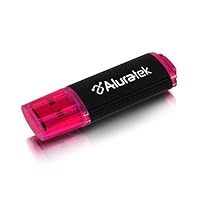
Aluratek AIRJ01F USB Internet Radio Jukebox

Aluratek AIRJ01F USB Internet Radio Jukebox
  • USB plug-n-play (no software to install)
  • Search for music by Genre or geographically (over 300 countries) and 13,000 channels
  • Save all your favorites right to the USB drive and take it with you when you travel.
  • No monthly costs!
  • Keep a list and vote for your favorite radio stations to tabulate TOP 10 genre and region lists among all users.

It's pretty straight-forward: it lets you listen to thousands of radio stations that broadcast on the Net. As I write this review, I am sitting here, on the US East Coast, listening to some Icelandic rock station. In the past couple of hours I browsed through radio stations based in France, the Philippines, UK and, I believe Thailand. Pretty cool, eh?

But, let's summarize:

Installation: super-easy. You stick the USB thing into the proper port and you get prompted to allow for the software to install on your computer at least that's what Vista does.

Interface: you get 2 top-10 lists that can be expanded to top-100, by region or by genre. The tops are not too useful, unless you really believe that the number one talk station in the world is broadcasting from Bulgaria but, it's fun to have them there. The categories are usually hit and miss you are almost as likely to find music on a 'talk' station as your are to find actual talk but... it's no big deal, believe me. The stations are also classified by Genre and Location and, within each of these, you can sort them by 'country' not all stations have a country assigned to them and Kansas and Kenya are both viewed as 'countries'. You can include individual stations on your favorite list and you can vote them up or down. There is also a 'history' section, a 'help' section and a link to the maker of the product. Oh, the bottom of the window is reserved for advertising but, I bet, you are NOT likely to stare at the Aluratek windows while listening to the radio so it's not bothersome.

Reception: each station shows a number of bars, telephone style 4 bars are supposed to be the clearest and no bars you probably can't get. The quality of your connection is, without a doubt, dependent of your own bandwidth. Depending of it and depending on many other factors, your connection may break from time to time or you may not be able to connect at all but, so far, I am happy with what I get.

Why I almost took out 1 star?

The interface could be improved. What I definitely miss is the ability to enter my own little notes to the stations that I mark as 'favorites'. The way they appear now which could be something like 'WKZR' or maybe a string of Chinese hieroglyphs is not always descriptive enough.

To summarize: if you spend a few hundred $$ for your laptop, I can't think of any good justification for not spending $20-30 on this little device.

______________________________

October 2, 2008 Update

I learned from a related discussion thread that there are 'free' sites that allow access to thousands of radio stations with some search capabilities. http://www.vtuner.com is one of them. Some may prefer to use such a site for their radio listening and save some money. Personally, having purchased this device, I am more likely to use IT than Vtuner but this is my personal preference only.

Buy Aluratek AIRJ01F USB Internet Radio Jukebox Now

The Aluratek Internet Radio Jukebox is great for finding & surfing radio stations around the world and playing them through a single interface. It performs this task very well. I had it up and running on my home PC in no time, just as advertised. Reasons I didn't give it 5 stars:

The interface itself is clunky, cryptic and a bit slow. It's easy enough to use, just kind of awkward.

It does not necessarily work on "locked down" office workstations. Although it doesn't need to install software to run, it does need to put a special driver in your Windows directory. Not a deal-breaker by any means, but something to be aware of.

All in all, the Internet Radio Jukebox is great for exploring Internet radio stations. If you'd like that process made simpler and more convenient, then you'll probably be happy with it. Otherwise, it's no different from just bookmarking your favorite stations with your Web browser.

Read Best Reviews of Aluratek AIRJ01F USB Internet Radio Jukebox Here

I got the jukebox for Xmas. I got it to work on Vista Ultimate and have no complaints. The jukebox is a complete waste of money! A person can down load Winamp(free download) and go to www.shoutcast.com and get over 10,000 streaming radio stations at no cost, Further the shoutcast website also has a shoutcast player! All of these services are free. Why pay $20 plus for a USB flash drive when you don't have too. Further you can't loose a Winamp player or Shoutcast Player!!

Want Aluratek AIRJ01F USB Internet Radio Jukebox Discount?

I discovered this Aluratek AIRJ01F USB internet radio stick as an Amazon promotion. The idea that I could be anywhere in the world but easily hear my local radio stations sounded great. (Or vice versa -easily find broadcasts worldwide.) After checking the handful of reviews, I decided to take a chance -hardly a big loss if it didn't pan out. Well, I'm glad I did. It arrived in two days. I opened the package. The instructions said, "Plug it into the USB port." I did (on my laptop which runs Vista) and, lo and behold, the application immediately began to run, and a huge directory of worldwide web radio stations came up, organized in several different ways, and easily searchable. In seconds, I was listening to my home town radio station. One click later, I was checking out a station half a world away!

Then a friend called and, in passing, he mentioned that he never gets to hear broadcasts of his old college's football games, because the school is 600 miles away, and he often travels, anyway. I recommended this! Could he figure out how to get the webcasts without this inexpensive device? Maybe....No, obviously not. This makes finding numerous stations so easy, no matter where you are or what computer you're using.

One issue: I tried plugging it into a secure laptop which runs Windows XP, and the self-starting app did not run automatically. I'm still trying to track down the ActiveX setting which is preventing this. But, no problem, anyway: All you have to do is create a shortcut to the application on your desktop, and then clicking that will start it up.

Nifty and inexpensive little thing, makes staying local, or going global, with your web radio, so easy! These will make great Christmas gifts, too!

I was feeling nostalgic, remembering listening to BBC radio dramas when I was in college in Europe. I've tried to find them online with no luck.

Then I bought this tiny gadget.

I plugged it into my computer's USB port, and it's like going back in time. It works just fine on my computer running Windows XP. I can listen to radio dramas from the UK, music from Virgin Radio, Celtic stations from Ireland, and other favorites from around the world. I can also explore stations I've never heard of from pretty much every country on the globe.

Mind you, this device isn't perfect. It can take a few seconds for a radio station to start, sometimes you'll find a dead link, sometimes the sound drops a bit, though usually not much and certainly not as much as any other form of radio streaming I've found. Despite the drawbacks, I would highly recommend it to anyone who is missing a favorite radio station from another country. There's no reason to feel homesick anymore.

Likewise, if you're traveling with your laptop and you like to listen to American radio, you should probably take this with you. I've been in countries where I've had the hardest time finding anything on the radio I liked. With this device and a laptop with an Internet connection, you can take this comfort from home anywhere you go.

Sony Walkman E-Series NWZ-E364 8GB USB 2.0 MP3 Digital Music/Video FM Player w/2.0" LCD (Black)

Sony Walkman E-Series NWZ-E364 8GB USB 2.0 MP3 Digital Music/Video FM Player w/2.0' LCD
  • Sony Walkman E-Series NWZ-E364BLK 8 GB MP3/Video Digital Player General Features: Sleek black design
  • Slim and stylish 8 GB capacity MP3 player Built-in digital FM tuner Video player Photo playback
  • 2.0-inch TFT color display (240 x 320 pixels, 262,144 colors)
  • Clock: alarm and sleep timer (30, 60, 90, 120 minutes) Built-in rechargeable Li-ion battery
  • Easy navigation

I had gotten this mp3 player for my birthday in red and i was in love. It was easy to use, had an amazing battery and sound and well organized. I only got to use it for a total of 3 1/2 months until it stopped working completely. It wont turn on, charge over even blink. I am highly upset and feel duped. An mp3 player should last way longer than 3 1/2 months. I advise anyone not to buy it unless you have money to replace it every 3 months. :/

Buy Sony Walkman E-Series NWZ-E364 8GB USB 2.0 MP3 Digital Music/Video FM Player w/2.0" LCD (Black) Now

I have NO CLUE what these other reviews are about...I bought this same one almost a year ago now, and it is in top shape. The sound quality is mind boggling! And its got great CLEAR BASS with no distortion, and good battery life. Best mp3 player ever! Hands down. Although there are later versions I would go with those because they are newer, but this is a great device.

Read Best Reviews of Sony Walkman E-Series NWZ-E364 8GB USB 2.0 MP3 Digital Music/Video FM Player w/2.0" LCD (Black) Here

It was great until it refused to turn on after three months. I really wished I would have read these reviews before picking this up. I definitely would not recommend this product to anyone.

Want Sony Walkman E-Series NWZ-E364 8GB USB 2.0 MP3 Digital Music/Video FM Player w/2.0" LCD (Black) Discount?

This unit worked great for 4 months. One day I plugged it in to my computer to re-charge it. The computer did not recognize that the unit was plugged in. It did not show up as a drive. I can not change songs and the unit does not charge. It is now worthless.