Showing posts with label electric alarm clock. Show all posts

Aiwa WR-D500 Multi-Band Shortwave Radio Reciever

Aiwa WR-D500 Multi-Band Shortwave Radio Reciever
  • Multi Band Synthesizer Tuner (FM/MW/SW1/SW2)
  • 20 Station Preset Memory
  • Auto Tuning
  • SW Meter Band Selector
  • Digital Clock

1995 closeout model, designed for europe, missing key frequencies used in North America, overall features and average sensitivity make this radio worth about one third the current asking price I paid, good for collecting only, not for serious dxing.

AMGood for strong signals and rejection of adjacent 10 Khz signals.

AMPoor interference rejection, Local/DX switch useless against strong EMI

AMWeak signals fair to muddled depending on composite transmission noise present on given frequency.

FMgood sensitivity/selectivity picks up a weak 100 mile distant signal over rough terrain, a signal most grundigs won't touch except for the $100+

models.

SWMissing a lot of frequencies as the coverage does not include contiuous

coverage, it only generates reception for metered coverage bands and the gaps between them are obviously large, no overlap.

Audiounderpowered, (for the amount of batteries used4 AA's) even with the tone set to high, forced to turn it up all the way to hear it clearly in a quiet room on some bands, like FM, AM/SW tone strength depends on signal power received, there is no unity gain amplification to compensate for weak signal reception, all this in a 12-13 year old design, I like some

features and dislike other shortcomings, but overall I deducted 1 star for

no overlapping metered non-continuous SW coverage and I deducted another

star for the price I paid for this radio when for half this price I can

buy a nearly flawless Tecsun or Redsun radio with every possible shortcoming this radio has resolved and surpassed in design except for a few areas.

I liked the Aiwa WR-D500 for the:

-Battery compartment design reduces battery leakage contribution.

-Radio Pouch, covers radio completely and it doesn't smell like recycled gas pump hoses like some products made in China do.

-Reel antenna extension, reel housing type, not wad of wire cheapo style.

-It's not a DAK piece of junk performance-wise, but it's shortcomings leave

it borderline DAK in what is missing from it's performance.

I don't like the Aiwa WR-D500 because:

-Low audio power for 4 AA's.

-Poor SW coverage, no overlap, no direct entry, no continuous coverage.

-No dial light.

-No Stereo?

-Mono (earbud) earphone? (what were they thinking?)

-No tuning knob/fine tuning.

-No SSB, (even a $45 Degen DE1102 has SSB! $69 delivered from China!)

-Price, $58 to start, $71 total to deliver it to my door.

So, in conclusion, if you collect Aiwa radios, this is ok, but since this may well be the only seller of this model, (that I could find in english) you're stuck paying their price, but if a similiar style of radio with real

coverage is what you need, then look into a Tecsun/Degen/Redsun model otherwise, you may get less than you expect from an Aiwa WR-D500 for what you'd expect a $60 world radio should do.

Save 1% Off

Panasonic SC-HC3 Ultra-Slim iPod Docking Speaker System with CD player, AM/FM Radio, Clock, Alarm, a

Panasonic SC-HC3 Ultra-Slim iPod Docking Speaker System with CD player, AM/FM Radio, Clock, Alarm, and Remote
  • Built-in Universal iPod Dock and Aux input (high and normal)
  • Dynamic and Clear sound with Dual Passive Radiator and Bamboo Cone Speakers
  • Ultra Slim Design
  • Low Power Consumption at Standby Mode
  • Built-in CD player and AM/FM Digital Tuner

My husband bought me this system for my birthday a little while back. I wanted something to play my ipod on that had decent sound quality, but I did not want an alarm clock type system, which was pretty much the only thing I could find where I live (small town). While the description says that this has an alarm clock, thankfully it is not the main function (I'm sure it works fine, but I haven't even bothered to set the time as it usually doesn't show on the screen anyway).

First off, the SC-HC3 has a very small footprint. It is extremely thin for a system and could easily fit on a bookshelf or mantle which was important to me; I didn't want something large and bulky since I wanted to put it in the dining room and kitchen area of my house.

It has an ipod dock and CD player which both are covered by a sliding panel, another plus since I have pets and did not want the fur to get into the ipod docking area when not in use. The ipod can play while the panel is open, so you can scroll back and forth manually or you can use the remote control that comes with the system. And the part that covers the ipod is a dark plastic, but see-through when the ipod is on, so you can see what song is playing. The part of the panel that covers the CD is metalic silver and not see-through. There are system buttons on the top so the front of the stereo looks very clean and not cluttered and they're simple and straightforward to use.

Now, I'm not one of those people who can tell you if the music comes across pure or crisp or robust or is highly superior to another system. But I do think that for the most part, it does sound good, not hollow or too much bass and it does sound clear.

The only complaint that I really have with it has to do with the ipod dock, though. It has a pivoting dock connector that pops forward to help you put the ipod in. I have an ipod touch and with it being so thin, it is sometimes hard to get it to connect on the first (or tenth) try. There is definitely plenty of room in there for larger ipods which might fit better. And then (this might be just the system I got) every once in a while the connection didn't fit right and when the music plays, there is sometimes static during the song. At first I thought it was that the song had been corrupted at some point, but the static would happen between songs and when I paused it. And since it sounded like radio static, I thought that something was wrong and the radio was playing through the system while I had the ipod on. Then I realized that it was the dock. When I pulled the ipod out and placed it back in, the static disappeared. Not a huge deal since I try to remember to make sure it is firmly on and I've only had that problem a few times and it's now been a while, and like I said, it could just be the one I got. If it continues, I'll probably exchange it. UPDATE: It's been a few months and it hasn't happened since.

But overall it is a nice system that doesn't take up much room and is mainly for music, not an alarm clock.

Buy Panasonic SC-HC3 Ultra-Slim iPod Docking Speaker System with CD player, AM/FM Radio, Clock, Alarm, a Now

I'm cross posting this review to the 3 products I evaluated.

Bose Sounddock

iHome Bongiovi IP1

Panasonic SC-HC3

I purchased a Bose Sounddock, but the thing kept rejecting my iPhone. After borrowing a friend's iPod to test with it, I was underwhelmed by the sound quality. Due to both facts I returned the item. Put me in the camp that thinks that Bose is more about marketing than the end product. I think most of the Sounddock products sound about the same, though I didn't test the Sounddock 10.

After checking out reviews on the iHome IP1, I next went to a warehouse store and gave it a test run. The sound quality was better than the Bose, though the footprint was much larger and not as elegant looking. One negative is the power adapter brick which is large and would be hard to tuck away to hide somewhere.

On the way to checkout I saw the Panasonic SC-HC3. There wasn't an evaluation model out, but after looking at it I noticed the footprint was much nicer and looked great. In addition it has a built in CD player and AM/FM radio. I decided to give it a go and purchased that as well and would let my girlfriend (whom was the recipient) decide which one she wanted. When I got it home and tried it out side by side the sound quality wasn't as nice as the iHome. However I thought it was "good enough" because at moderate levels it still sounded very good. I also considered where this was going to be used, which would be in a small apartment or bedroom and realized that it would be very rare for her to want to crank this up to 11. The smaller and nicer looking footprint was great, and the CD feature and AM/FM radio was the clincher for me (as well as her). One note: This unit is not compatible by default with an iPhone, though it will work with it however you probably need to turn the airplane feature on to get the best sound.

Summary:

Sound: The iHome was the best sounding unit, marginally better than the Bose. The Panasonic was moderately less preferable to both the iHome and Bose, but please take into consideration your listening environment and habits. If you are an audiophile then the Panasonic is probably not for you, but I personally feel it would be satisfactory for 90% of the people.

Footprint: The Bose and Panasonic are sleek and thin units and are about equally preferable. The iHome is a bit bulky and doesn't look as classy. You will have a harder time finding a nice place put this.

Features: The Panasonic wins hands down on this. CD/AM/FM are great extras. While I personally don't need the CD player I still think it is a shame that the Bose and iHome don't include at least an FM radio. Had the iHome had an FM tuner built in, I would have strongly considered this model instead.

Cost: At the time of this writing the iHome is slightly MORE expensive than the Bose, while the Panasonic is about 40% less.

I would recommend either the iHome IP1 or Panasonic over Bose. If you are more interested in great sound at high volumes over form and function then get the iHome. This would be a great unit for a college student so they could enjoy music in the dorm, and take it outside (with extension cord) to provide music for all to enjoy. If you don't plan on cranking the volume all the way and want decent quality as well as good aesthetics and a compact footprint then the Panasonic is a better option. If you ever need the CD or radio features then I think this makes the Panasonic a much better choice. Also you should strongly consider the lifetime guarantee you can get by purchasing these units at certain stores over the 1 year warranty Bose gives you. Make sure you save the boxes however!

If Bose had included at least an FM tuner, I might give this a unit a "maybe". While the sound is good, it isn't awesome. It looks great but is woefully lacking on features. Finally compare the warranties to that of the other units (from a warehouse) and I find it makes recommending this unit much harder to do.

Read Best Reviews of Panasonic SC-HC3 Ultra-Slim iPod Docking Speaker System with CD player, AM/FM Radio, Clock, Alarm, a Here

I love this Panasonic SC-HC3 radio/iPod/CD player!

I was concerned that the sliding doors might break after using them a lot, but so far so good. I have used the player for about a month and am completely happy with it. The controls are very obvious, the remote is very useful, and allows you to go through the iPod menu so that you don't have to fiddle with the little iPod wheel or open the door.

But best of all, I think the sound quality is excellent for such a compact player. Of course, it is great that it looks good, and is so slim.

Want Panasonic SC-HC3 Ultra-Slim iPod Docking Speaker System with CD player, AM/FM Radio, Clock, Alarm, a Discount?

As far as functionality packaged in a sleek small package this unit is the best on the market. If you need the functionality of radio, CD player and Ipod dock this is it. If you can do without the radio and CD player look elsewhere. There are multiple Ipod speaker sets that provide much fuller, powerful sound in comparable sizes. The sound quality sounds bloated, yet hollow. You can tell its a mid-end sound at best, even for its size. Both my 4G Classic, 3G Nano and 5G Nano work and charge on this unit.

Besides the sound the only other couple minor complaints I have is that when you leave the Ipod on the dock it has this flash on and off on the display...basically telling you its charging. In a bedroom at night its annoying. It does turn off once its done charging. And lastly the FM reception isn't any good. At first I thought it was the positioning but my receiver is on the opposite wall and the reception is fine on that unit, so I don't get it...I just can't use the FM tuner...which was one of the reasons to purchase the unit.

Other that that my favorite part about this system is the sleek contempory look. It conceals both the CD and Ipod...you can still see through the smoke plastic to see the Ipod display. You can have it open or closed.

While we mulled over the BOSE systems for many weeks, in the end, we just couldn't justify the cost of one of those for each of our bedrooms. This unit was the perfect size and with all the functionalities needed to fill bedrooms 15x15 with great clear sound, and the simple but usable alarm functions are just enough. It comes with a remote, so you can put it on a far dresser with ease. All in all, a great value for money.

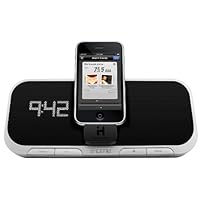
iHome iA5 App-Enhanced 30-Pin iPod/iPhone Alarm Clock Speaker Dock

iHome iA5 App-Enhanced 30-Pin iPod/iPhone Alarm Clock Speaker Dock
  • Supports most iPhone and iPod models with Universal Dock Connector
  • App-enhanced speaker dock for the iPhone OS that combines an interactive app with a bedside alarm clock
  • Wake to iPhone/iPod or buzzer, with additional alarms and features available via iHome+Sleep app
  • Sure Alarm battery backup maintains clock setting and ensures alarm wake time in case of power failure
  • iHome's Reson8 speaker chambers and specially designed high-end drivers deliver clarity, depth and power

I was looking for an alarm clock/charger for my iPhone and finally settled on this one. Partly intrigued by the fact it works in conjunction with an app, I wanted to see how the full package would operate.

It's a little bigger in person than I expected it to be so I might have preferred a smaller device, but that's not a deal breaker. The only other complaint I have is that when the device is working with the app, there's a large button on the top that turns on and emits a rather bright night light that I wish I had the option to turn off. It's not so bright as to keep me awake, but I happen to like a dark room when I sleep, so it's more light than I'm used to. Still, not a deal breaker and I'm thinking about just putting a sticker on top of it or something to dim it down.

The speaker gives out good sound quality, and you can manually control the clock's brightness even to where you can turn the display of completely if you prefer. The app is a nice touch and has some cool features like customizing the music/sounds you sleep and wake-up to, plus about as many alarm options as you want to set.

The buttons on the front are easy to manage and most of the clock's overall management (setting of the time, etc.) is done through the iPhone app, but there are buttons on the back that allow you to manage the clock that way as well.

One thing I was worried about was whether it would work with my iPhone's case on since I've read about other devices that don't fit the phone if you have a case on it. Thankfully this one fits just fine (I have an ifrogz case).

All in all, I'm happy with it.

Buy iHome iA5 App-Enhanced 30-Pin iPod/iPhone Alarm Clock Speaker Dock Now

I wanted an iPod alarm clock and the iA5's "App-enhanced" nature looked good, so I bought it. I wish I hadn't.

Unfortunately, the app is very poor. There are some nice ideas in it, with "sleep cards" and "wake cards" to handle different situations, but the app is so complicated that it is nearly useless. When you're tired and want to go to sleep, you're not likely to want to fumble around an iPod app hunting for the right settings.

As other reviewers have noted, the iA5 is bright, both the clock display (even at its dimmest setting) and the power button. So unless you like sleeping next to a spotlight, stay away. The iPod is in the way when you try to reach for a button. The device looks like it has two speakers, but actually only has one (my fault for not reading the fine print.)

The App-Enhanced Clock Radio is a good idea, but the iA5 is a poor execution of that idea. Hopefully, iHome will redesign this device and re-write the app with user-friendliness in mind.

Read Best Reviews of iHome iA5 App-Enhanced 30-Pin iPod/iPhone Alarm Clock Speaker Dock Here

The iHome iA5 is basically an alarm clock that hooks up with your iPod, iPod Touch or iPhone. What it isn't, first of all, is a radio alarm clock --if you don't have an iPod or iPhone connected to it, the only alarm option is a buzzer, so if you're looking for an iPod/radio alarm clock, this isn't it. However, if you connect an iPod or iPhone, it will let you fall asleep to, and wake up to, whatever track your device is set to. I find this a wonderful function, and don't particularly miss the radio, so in that sense it's a good device.

However, the iA5 has a couple of glaring design mistakes. First of all, the iPod/iPhone connector is a little rectangular block sticking out from the front of the device. As a result, your iPod/iPhone will block the buttons on the device most notably the snooze button. So, when you're waking up and maybe still a bit clumsy, you need to maneuver around the iPod/iPhone to press it. That's annoying. Secondly, the connector for the iPod/iPhone isn't too sturdy. Mine actually moves a bit, and when at first I thought this was a defect, so I went to check others in the store and yep, they all move. It doesn't feel sturdy at all, as if it could break off if you accidentally bump it or press your iPod down too hard. Thirdly, there are 4 buttons at the back of the device (to set the time etc.) that are just plain impossible to read unless you lift the device up, because those buttons' text is pointed downward. It's tremendously annoying. E.g. one of those buttons actually syncs your alarm clock with your iPod/iPhone a great idea but it's impossible to see which of the 4 buttons does that without lifting the entire thing. So, those are 3 tremendously annoying design flaws that knocked 2 stars off this device's rating for me.

Otherwise, there's not much to complain about. The clock numbers "shine" from the speaker, which looks very neat, and you can choose 3 levels of brightness for the clock (great if you have sensitive eyes). The sound quality is decent don't expect Bose quality, but for an alarm clock it's definitely acceptable with solid bass and treble levels.

Finally, there's the "app-enhanced" part of the device, which I wasn't able to test as I only have a "classic" iPod that doesn't do apps like the iTouch and iPhone do. As I understand it, it allows you to connect to Facebook (which, of course, you could do without the alarm clock too) and tracks sleep stats (which could be interesting, I guess, but wouldn't be a reason to buy the device for me).

So in the end, you have a decent iPod/iPhone alarm clock with a striking look but a few very annoying design flaws. I would definitely recommend heading to a physical store to check it out before ordering it, because there are many other options for this type of device, and this one frankly has some flaws that may be deal-breakers for you. Still, the price is definitely right, so if you're willing to overlook a couple of clumsily placed buttons, this could be the one for you.

UPDATE: 8/28/2010 I ended up taking this product back to the store, because it stopped charging my iPod. I think the little block that holds the iPod probably got loose. I've exchanged this iHome for the iHome ip92, which has the same functionality but none of the design flaws the buttons aren't blocked by the iPod, and the iPod docks at the top of the device rather than at the front. The sound quality is also MUCH better. Finally, it includes an AM/FM radio. So, if you're considering the iHome iA5, I would strongly recommend checking out the ip92 instead.

Want iHome iA5 App-Enhanced 30-Pin iPod/iPhone Alarm Clock Speaker Dock Discount?

I purchased this as a mothers day gift from the kids for my wife. She had a twenty year old Sony alarm clock that still worked. Good thing, as after two days the the iHome would no longer charge the iPhone and it would give a message saying that the iHome was an incompatible device. I tried all the troubleshooting steps and no luck. I know it was not the phone as we tried two others and we are pretty sure it is a bad connection in the dock connector. I have sent it back for an exchange as the marketplace seller charges a restock fee otherwise but I have a feeling that this clock will not last 20 day let alone twenty years.

The speaker was okay, good enough for it's purpose but don't expect it to sound like a Bose radio. We had no alarm problems for the two days it worked.

Save 35% Off

I AM CURRENTLY DEPLOYED IN AFGHANISTAN SO WAKING UP IN TIME FOR MISSIONS IS ESSENTIAL. HAVE HAD IT FOR ABOUT TWO WEEKS AND AFTER DOWNLOADING THE APP OF ITUNES FOR FREE I WAS ABLE SO SELECT ANY SONG OFF MY IPOD TO WAKE UP TO. ITS LOUD ENOUGH TO WAKE ME AND MY HEAVY SLEEPING ROOMMATE UP. ANOTHER GREAT FEATURE THAT I LIKE ABOUT IT IS U CAN SELECT A PLAYLIST FOR IT TO PLAY AS SOON AS YOU WAKE UP. DEFINITELY RECCOMEND THIS PRODUCT

Philips Consumer DS9/37 Fidelio Primo Docking Speaker DS9

Philips Consumer DS9/37 Fidelio Primo Docking Speaker DS9
  • Premium design in natural wood, fabric and metal
  • SoundCurve for superb crystal-clear sound
  • Audiophile-quality drivers for authentic sound reproduction
  • Discover, share music & more features via free Fidelio app
  • Precisely tuned bass pipes for deep, tight bass reproduction

I was looking for a high-quality iPod dock that would replace my stereo components (receiver, Squeezebox network audio player, speakers, subwoofer). I was ready to accept that the iPod dock would not sound as good as the stereo system, but I wanted to simplify my setup and reduce clutter. I ended up choosing the Philips Fidelio Primo DS9 docking speaker, and I'm very happy with this system.

The system is larger and heavier than you'd expect. I had previously owned the similarly shaped, but much smaller and lighter, DS8500. That dock sounded decent (but no better than Logitech's S715i, which is cheaper and has the advantage of being portable), but the DS9 is in a totally different league. The DS9 uses separate woofers and tweeters, rather than the DS8500's full-range drivers. The superior drivers, combined with the larger enclosure, result in far more detailed, cleaner, and less constricted sound than the DS8500 offers, particularly at higher volumes.

Well, of course the DS9 SHOULD sound better than the DS8500, it does cost nearly twice as much. But the DS9 also compares well with docks costing about the same or more. (I do not have other docks on hand for A-B comparisons, so these comparisons are based on my recollections of other docks' sound quality.) The DS9 handily beats the Bose docks I've used at fancy hotels, which cost around the same. The DS9 also offers more accurate and balanced sound than the Harman Kardon Go + Play, which has a warmer, more bass-heavy sound that many will like but could be a bit overwhelming for those wanting more neutral sound. The biggest surprise to me was that the DS9 sounds about as good as the B&W Zeppelin Air, which costs twice as much (but has AirPlay, which the Philips does not have). Again, without an A-B comparison it's hard to make a comparison, but the DS9 is definitely in the same league. My recollection is that the Zeppelin Air, at its default settings, had somewhat heavier bass.

Before buying the DS9 I also tried out Philips' Fidelio SoundSphere DS9800W, which has AirPlay (and no physical iPod dock), features two entirely separate speaker enclosures, and costs more than twice the price of the DS9. I ended up returning the DS9800W, and to me the sound of the DS9 is better-balanced. The DS9800W sounded very good but had some glare in the upper mid-range to lower treble which made many (good) recordings sound a little fierce or harsh. The DS9 probably won't play as loudly as the DS9800W and they definitely don't have the stereo separation of the DS9800W, but the sound is smooth and balanced throughout the spectrum, with no serious faults.

One downside common to most iPod docks is their limited soundstage unless you're sitting very close, the soundstage and stereo effect are limited by the fact that the left and right speakers are only several inches apart, compared to the several feet of distance you would typically have between speakers. To counter this, Philips made the front of the DS9 curved, so that sound is radiating out a bit toward the left and right sides. This works the DS9 throws a considerably bigger soundstage than most other iPod docks, comparable to or even better than the Zeppelin Air (which is physically wider). You're still not going to get the same soundstage that you would from good speakers placed several feet apart (or the DS9800W), but the Philips does better than most in this regard.

Those looking for bells and whistles will be disappointed. Besides the expected auxiliary jack and remote, the only "feature" of note is the free iOS app, which has a dynamic bass boost feature and various EQ settings. The EQ should be left on flat, but I found, somewhat to my surprise, that the bass boost is actually effective and well-done. The speaker sounds better-balanced with the bass boost on than without, and even the higher setting doesn't exaggerate the bass to the point of overwhelming everything else.

The bottom line is that this is among the best-sounding iPod/iPhone/iPad docks available, attractive in design, and at a price that undercuts several systems that do not, in my opinion, sound appreciably better. Highly recommended.

Buy Philips Consumer DS9/37 Fidelio Primo Docking Speaker DS9 Now

This solid unit is one fantastic sounding piece of audio equipment. Philips has hit a home run with this unit and I've demoed over 4 of their units and with each new system they ratchet up the quality and design. I can go on and on at length repeating the reviews on here but why waste your time reading when you can be enjoying the sound emanating from this system.

Highs are crystal clear and lows are deep and mellow. There is no scratching of sound or squealing when the unit is run at full volume even when using the 30 pin connector. Paired with the Fidelio app and your iwhatever you will be taken to a new level of sound clarity.

The true joy of the unit is it's simplicity. On & Off with volume. Ready to go right out of the box, fun to use, very pleasing to the eye with high clarity of sound! I highly recommend this unit to anyone in need of fantastic docking or speaker system that exudes quality.

You can shop around but it shall be said here, Philips is leading the way and I look forward to seeing what is in store for the next generation of docking systems. I also look forward to what the competition brings forth.

Read Best Reviews of Philips Consumer DS9/37 Fidelio Primo Docking Speaker DS9 Here

Don't get me wrong, I love Philips' Fidelio Primo DS9 docking speaker. Hands down, it has best sound quality of any speaker I've ever owned. With separate woofers and tweeters, the sound is absolutely amazing, whether the volume is thunderous or soft or in between. I can't imagine better, even in higher price ranges. Even Bose presents no competition.

This big, heavy speaker is as solid as they come. The front is black fabric and the body has a nice woodgrain finish, while the bottom has a terrific rubber mat that keeps the unit from sliding or slipping. Setup is as simple as plugging it in.

I was able to plug my iPhone 3G in without removing its case, which made me very happy. There's also an app that you can download to your phone that lets you adjust the equalizer either "by hand" or to one of the presets for rock, classical, jazz, and a couple more. I set it to "rock" and am very pleased. The app also lets you connect to Twitter and Facebook if you're inclined to share.

It's a great big beautiful speaker with sound quality to die for, but what I don't understand is how such a wonderful unit can lack Bluetooth. You have to plug your phone or iPod into the charger to have it play, and for me, this is a problem because I have little space to keep this hefty unit within easy reach. I had wrongly assumed that any quality speaker that could charge an iPhone would also be equipped with Bluetooth. I figured I'd set it up high, where there's plenty of room, and wouldn't use it to charge my phone.

However, I can't use it at all if it's out of reach because of the lack of Bluetooth. I finally made room for it on a lower shelf in my office, but I had to displace a lot of reference books to do it -they're now piled next to my computer.

One other quibble: I dislike having to keep the phone plugged into the speaker: I like to carry my phone around with me, not leave it behind in one room.

If you have room, though, when it comes to sound quality, I can't recommend this speaker highly enough. I just wish I could use it without having to attach my phone to it.

Want Philips Consumer DS9/37 Fidelio Primo Docking Speaker DS9 Discount?

When I first unboxed this, I was surprised at the weight. It is *SOLID*. The front that you see in the pictures is black fabric, the rear is a lighter brown with darker lines looking like wood grain. The back has a hole for the power cord (no brick, just a cable running to the unit from the wall). There's a 1/8" stereo plug right above it for plugging in another audio source. The bottom is a large oval rubber mat that keeps the unit from moving at all sits very secure, and with the wright of the unit, it's hard just to push it to a different position, it grips so well. So setup is literally plugging the power cord into the back of this and into an outlet. I'll post additional pictures this evening.

I started out with my iPhone4s, but went through using an iPhone4, an iPad, iPad2, and all functioned the same as far as playback goes, and got additional functions from the software they prompted me to download upon connecting them. At a later point I'll try it out with my nano and Classic (classic doesn't list as supported, so I expect to fail with that).

The plug base pivots, so this will work with any iPhone or iPad regardless of case as long as the case is one that allows the plug to slide in. Thickness will be of no import as there's no space constraints around the units.

I put in my exercise mix, since that has a lot of loud, driving rock music, and set the volume low since I was first trying this out at my office I had it delivered here in case of inclement weather, never knowing if it'd be rain or snow here in Wisconsin in February. So my volume testing was limited until my employees took off for lunch, since the tech area is right outside of my office, and even with the door closed it would've been annoying to them. But when they all left for lunch, I closed the door to limit what I was about to do to as much of the local area as I could, and I started increasing the volume.

And I was very impressed.

LOUD. CLEAR, absolutely no distortion at higher volumes even with bass upped in the equalizer, the mids and highs are outstanding. I kept it loud (far louder than I'd ever be able to listen to it for sustained periods) and started flipping through songs, and I just couldn't believe it. I had just purchased a bluetooth streaming sound dock for my iPhone and iPods to use while exercising, and was amazed at the quality that put out, as well as the bass it punched. But this unit really made that sound weak in all respects so much so that I've already gone back and adjusted the review down a star because if THIS is what sound is possible from a smaller dock, then the other unit is clearly falling short despite all the other good features. Amazingly this unit in the spec sheet that came with it is only rated at 2x25W. But it sounds so much more impressive than that. Even at low volume, the sound is crisp and clear.

The app it prompts you to download works well, with various presets for equalizer (flat, pop, rock, jazz, classical) or change to suit your own needs with 5 band equalizer, 60, 300, 800, 4k, and 10k sliders.

The app has different pages you can display, from the equalizer, the "now playing" page, and a clock that lets you pick between analog and digital for clock faces (but that's it, just the type, you can't pick various styles of either). Weather gives some info on clock view as well, but it didn't for my home zip (despite recognizing it when I put it in and showing it by name). But when I let it "find" my location automatically here at my office, it worked, and displayed a small Day / date on the top right above the clock, and a little weather graphic depicting today's weather with a larger font for the temp. Touching the face of the clock brings up a 5 day forecast of temps and graphics for the weather for each day. Not much good unless you're right on top of it though, you won't see it across the room if your'e on an iPhone, but on an iPad it displays well.

There's a setting that allows you to share through Facebook or twitter as well, though I didn't experiment with those since I'm not egotistical enough to think that everyone out there is waiting to hear what I'm doing every second of the day.

The remote is about the most solid I've ever felt has weight to it, not just some really light piece of plastic. Attractive flat black surface for the buttons, and curved chrome edge, with a shiny piano black finish on the back. The back is curved, not flat, so it fits comfortably in the hand. Uses a flat watch battery (CR2032) the size of a dime. It has a MUTE button on the very top, and opposing buttons under that for the iPhone/iPad/iPod on one side and the aux jack on the other. Below that is a d-pad type control with an "OK in the middle and surprisingly enough, after pressing the "MENU" button underneath, this allows for you to move around the navigation of everything. I mean EVERYTHING. Pressing MENU will alternate between things in the "Music" section of the iPhone such as playlists, artists, songs, albums, "more". You can get all the way up to a top level and then drill down using just the remote which is far more function than I've had in most of the other dock remotes, which have usually limited me to transport like next/previous and volume and stop/play/pause. So being able to COMPLETELY traverse my iPhone's music contents is a very welcome touch. That was one reason I just purchased the bluetooth linked speaker set last month, was because the others I had didn't give me full access to everything on the unit, just whatever list or group I had selected when I plugged it in and started playing.

The unit looks good it's just smooth, from any angle, no harsh corners or flashy gimmicks and lights. THe only illumination on this thing is the small and + on the left and right ends of the Phillips logo not he bottom which is the volume switch if you're nearby.

The odd thing is that there is no power button. No way to just turn the unit off. Even removing the device leaves the and + lit on the system, until about 10 or 15 seconds later, when they'll start to flash, then go out. But when the device is plugged in and charging, even when no music is playing and it's locked, the power is on to the speakers. Which makes it kind of startling when you get an overly loud notification of mail or message or, in my case, since I have the Darth Vader march as my ringtone, suddenly the Imperial March starts blasting out. As long as you're charging, the speakers are on and playback any system sound that will come though (unless you override them from within settings, but I'm not enough of an iPhone guru to know if there's some way to limit sounds that play externally as opposed to only internally).

I can honestly say that three weeks ago, if asked if I'd ever feel the need to spend money for speakers for my iPod or iPhone or anything, I'd have scoffed. I don't have a "true" stereo anymore, as what I built during my years in Germany has since been given away, since everything I do is computer based now, using a Media Center computer to run even my TV set. So all I've had for years has been computer speakers, and now a sound bar. My audiophile "snobbishness" has worn away, as I realized there were other things to concern myself with besides how "pure" the music sounded. Especially when listening to some of the options out there, the overpriced and horrible sounding Bose systems, etc... I had pretty much resigned myself to the fact that I would have music that sounded GOOD, but not GREAT at volume. Then last month I decided to "splurge" and get the Soundfreaq bluetooth audio system to use in my home gym, and was very happy I did so. Now, however, after hearing this setup, I realize that there really is a world of difference between what I had heard previously, even for much more money, and something like this.

I was fortunate enough to get one of these through the Vine program, but unlike most of my Vine reviews that ended up getting 3 or fewer stars, this one actually deserved the 5 stars enough that, had I heard it at someone else's house, I would've gone and purchased it for myself. There's very few vine items I've reviewed that i can say that about. It is truly that good.

So if you really are looking for something that looks simple and elegant, and has a WOW factor when it comes to the sound playback, then this is it...

Edit: A little more info now and I've uploaded some photos. I tried the iPod classic I have (120GB model) and despite not being listed as compatible in the literature, it does indeed work just fine. Also, the only real gripe is a nit noid thing with the software as the pictures I uploaded show, there's an overlay for transport information that superimposes itself on the album art and this is the only visual cue for volume there is. So you either need to leave that overlay displaying all the time if you want a visual representation of volume level, or go without. Also, on the iPad, the cover art does NOT automatically change as the songs change but if you hit pause/play it'll force it to update. But if you just let something play, or hit "next" to go to the next song / album / artist, the album art persists for whatever the last displayed one was. Hopefully they get the glitch updated on the IOS software, and give us a temporary on screen indicator of volume that goes away after we're done adjusting it, without having to keep the overlay on top of the album art.

Save 33% Off

I bought this on Amazon after returning an Arcam rcube. This beats the rcube hands down. Better sound quality, excellent construction at a much lower price. If you are trying to decide, I recommend you pick this Fidelio. Amazon customer service is amazing, 5 stars there too.

iLive iS809B 30-Pin iPod Speaker Dock

iLive iS809B 30-Pin iPod Speaker Dock
  • Compatibility: iPod mini; iPod nano 1G, 2G, 3G, 4G, 5G; iPod classic 4G, 5G, 5.5G, 6G; iPod touch 1G, 2G
  • Complete wireless system for iPod features two speakers with 20-foot line-of-sight (90-foot indoor) range
  • Weather resistant speakers feature independent volume, stereo/mono settings; pair up to 20 speakers
  • Auxiliary input for external audio devices such as MP3 or CD players
  • Full-featured, long-range remote control included

The speaker set as a whole works very well once you get it up and running. The set I purchased comes with 4 speakers and one dock. I found that 2 of my speakers have white LED indicator lights while the other 2 speakers have blue LED indicator lights, which is a bit odd. In any case, I found the speakers difficult to pair, for those with trouble try these steps:

1. Have all speakers and dock near each other within arms reach.

2. Plug all speakers and dock into an outlet and turn them on, dock and speakers will blink slowly.

3. Turn the speaker volumes to medium-low, when they come out of the box they are at max volume and will make a very loud beep when it tries pairing.

Alright, this is when coordination is key:

Each speaker has a pairing button, when you hold the pairing button down for 3 seconds, the speaker will make a beeping tone once every half-second while it searches for the dock, it will attempt to pair for about 10 seconds. The dock has a pairing button on it's left side. When you hold the pairing button down for 3 seconds, the status light will blink rapidly as it searches for the speakers for 10 seconds. You can see how this requires some coordination...

4. Using one hand on a pair of speakers, press and hold the pairing button on the speakers to initiate pairing (beeping sounds start).

5. Repeat step 4 on another pair of speakers.

6. Quickly press and hold the pairing button on the dock.

7. If you are able to do this fast enough, all 4 speakers will make a long sustained tone indicating that they have been paired.

8. Dock your ipod and give it a whirl, if you find that one or more speaker(s) is not outputting sound, you did not go through the steps fast enough... Repeat steps 4-7 again but FASTER!

I found that the speakers and docks, once paired, will not lose pairing (THANK GOODNESS!) even if you unplug them for an extended period of time, although the clock on the dock will reset unless you install 2 AAA's in the dock (not included).

Sound quality wise, I tried moving the speakers around my 1 story house and found that I got clear reception everywhere I went. The speakers do not produce the best sound in the world, they definitely do not measure up to my Klipsch speakers, but they sound decent once I up the treble to 5 and the bass to 3. Also, you can leave the speakers on and turn off the dock, they will not make any static sounds like many 900Hz wireless speakers do, they go into standby instead. Turning on the dock causes the speakers to spring into action.

The remote also appears to not use IR but will work wirelessly. You do not need to point the remote at the dock for it to work. In fact, I found that I could walk clear to the other side of my house and still be able to control the dock.

I'm overall very happy with this set of speakers. Pairing was a pain, but once I got it up and running they work decently, the range and ability for the remote to work anywhere was a definite plus.

Update: Discovered that when you play soft sounding music, the speakers will go into standby within 10 seconds. When the music gets louder, the speakers re-engage. This behavior is rather annoying, I wished that they would stay engaged while the base station is on.

Update 2-10-11: Speakers are still going strong. To resolve the issue of the speakers going into standby with soft music, I turned up the volume on the base station and turned down the volume on the individual speakers (end result of keeping the same output volume). It seems the speakers need a certain threshold of input sound or else they will go into standby.

Also, I discovered that the docking station will interfere with wireless networks, which makes sense as most wireless networks and these speakers operate on the 2.4Ghz frequency. When I place the dock near a computer that is using the wireless network, the computer will completely lose its connection until the dock is turned off.

I am still happy with these speakers, they have been on for the last 2 years, never turned off. I have since moved to a larger two story home, still works like a charm.

Buy iLive iS809B 30-Pin iPod Speaker Dock Now

I purchased the set and pairing was really easy. It worked for 30 minutes and the dock died (no power, no nothing). I returned it and purchased another set. The second set worked for 45 minutes and the dock died. The sound was pretty decent and had a good coverage for the wireless speakers only if they got the dock to work it would be useful. This product is horrible! What I waste of time to pair the speakers and have something working for a few minutes.

Read Best Reviews of iLive iS809B 30-Pin iPod Speaker Dock Here

This system is a great idea that is very poorly executed.

The instructions for pairing the base station with the speakers do not work. Both the instruction in the box and posted on are wrong (thank you ichinban for posting usable instructions). Once the base station was paired with the speakers the system worked well for 5 hours. The speaker had decent sound and good range from the base station. Then the base station display stopped working and soon there after it would not transmit to the speakers. I tried several times to contact ilive customer service by phone (which was a dead end game of selecting different numbers) and received no response from several emails.

I will never buy another ilive product and continue to advise others against doing so because they either don't know their own system well enough to write usable instructions or they just don't care, their products are poorly manufactured and they have zero customer service/support.

Want iLive iS809B 30-Pin iPod Speaker Dock Discount?

This system is horrendous. It played beautifully for 3 hours, every speaker working. Then, suddenly, the base unit died and was unresponsive. DPI (the maker of the system) sent me a replacement base. I paired the speakers to the new base, and now, two speakers sounded horrible and scratchy and one would no longer link with the base unit. Again, I called DPI and told them two speakers were scratchy. They said they'd send two more, but only sent one. The one replacement was also scratchy and horrible sounding, so I am giving up and will be returning this system to where I purchased it. Also, the idea that this could be indoor/ outdoor is laughable, as the speakers appeared sensitive to TOUCH, and WALKING IN FRONT OF THEM!! DPI needs to go back to the drawing board.

Save 31% Off

Bought this unit with 2 speakers about 3 months ago and I loved it. The system has great sound and even though it's tough sometimes to "pair" the speakers to the base station, I didn't mind.

A few weeks ago the base station crapped out and the power was flickering on and off. I called iLive and they would not repair the basestation because it had been more than 90 days since I purchased it.

Furthermore, the representative told me, "WE HAVE BEEN HAVING THE SAME PROBLEM WITH A LOT OF THESE PRODUCTS"!!!

So steer clear of this item.

Apple iPod nano 8 GB Graphite (6th Generation) OLD MODEL

Apple iPod nano 8 GB Graphite OLD MODEL
  • 8 GB capacity for about 2,000 songs with 1.54 Inch TFT LCD display
  • Up to 24 hours of audio playback on a single charge
  • 1.54-inch (diagonal) color TFT display with 240-by-240-pixel resolution (220 pixels per inch)
  • Support for AAC, Protected AAC (iTunes Store), MP3, MP3 VBR, Audible, Apple Lossless, AIFF, and WAV audio formats
  • One-year limited warranty

But it's not a Nano. Once you get that, the rest is easy. It's also a bit of a mixed bag.

**Update** (09/12) All-new 7th Generation Nano with much larger 2.5" screen, Bluetooth, and video playback announced by Apple. =]

Clip is gone though, and @$149, it ain't cheap. =\ **

**Update** (10/11) Version 1.2 Software Update released that

includes option for Large icons (but not large fonts)

allows Fitness/Nike+ app to work without an add-on device

includes more Clock faces & Wallpapers

Price also drops $20 (8 GB), or $30 (16GB). **

**Update** (02/11) Version 1.1 Software Update released that

1) Finally allows users to turn the Nano COMPLETELY OFF by holding down the Wake/Sleep button. No more 'it only goes to sleep'.

2) Sets the Wake/Sleep button as a 'Next Song' button, double-click to advance through your songs or radio presets.

This change also improves battery lifefrom AWFUL, to merely poor (5-6 hrs) as you're now less dependent on the power-gobbling touchscreen to advance songs.

Due to these improvements, am upping my review rating to 3 stars (battery life & pricing remain issues).

End Updates. **

Many ppl are confused about the radical re-invention of the Nano, not realizing that the Nano is, essentially, dead. The Nano's mission was to be a compact player that still did some higher-end stuff such as video and picture-taking-a nice portable 'media' player. No more.

The new Nano, aka Super Shuffle, is focused on a different task entirely, and much the same one as the regular Shufflethe gym. To that end, Apple radically reduced the size and gave it an integrated clip on back a la the regular Shuffle. It is now 'wearable', and is the 'Shuffle with a screen' that some have wanted for a long time.

The downside is that others loved the 'true' Nano, and now they can't have one unless they go running for the old 5th gen models before they're gone. Some will wonder why this was an 'either/or' thing for Apple, i.e. couldn't the Super Shuffle and 'true Nano' have existed side-by-side?

Still others might say the Super Shuffle is inadequate even for the gym. "I don't want to look at a SCREEN to switch songs or change the volume!", they'll say.

But to be fair, you don't have to look at the screen much, because

The Super Shuffle has physical volume buttons. They're small, but still easy to use. And with the 1.1 SW Update, you can double-click the Wake/Sleep button to advance songs/stations, a MUCH-needed improvement.

It has the 'Shake To Shuffle' featureliterally shake it to advance songs. However, STS is clunky to usesee notes @end of review.

It supports VoiceOver. But to use all VO features requires the Apple Earphones With Remote & Mic, which aren't included (Apple either wants another $30, or still hasn't solved the sweat/moisture issues those 'phones have had in the past).

So, some caveats aside, the Nano/SS now works fine in its role as a 'gym' Shuffle with a screen.

Features-wise, it does photo-viewing (but not taking), audiobooks, podcasts (minus any video), voice memos (w/the optional 'phones w/Remote & Mic), is a pedometer, and does FM radio besides. And stations do sound amazingly clear in any halfway decent reception area. Even low-power college stations usually come in cleana BIG plus, since they often have more innovative music programming than commercial FM.

The Nano also keeps the 30-pin dock connector, so you retain access to the universe of iPod accessories (for some examples, see 'iPod Nano 6G Docking Options' on YouTube). This is all well and good.

So MY BEEF with the Super Shuffle (aside from battery life) isn't that it killed the 'true' Nano (enough demand = they'll bring it back), but rather the level of 'milking it' Apple's gone with here. While I own/use one, it just isn't worth the additional $$$ over a regular Shuffle.

They do much the same thing, after allthe features it adds to the Shuffle are fairly minor (for example, ever try to get consistent FM reception inside a large concrete building, aka your typical gym? Best be at the window).

Sure, you get the touchscreen, which is sharp/clear, fun to use, and almost eerily resistant to smudges/fingerprints (nice). But the screen's also REALLY small going larger would make it less 'wearable' which compromises text readability and ease-of-use ('fat fingers' syndrome). And it scarfs WAY too much battery (see notes @end of review).

You do get 6GB more storage than the Shuffle (though that cost Apple $8 to put in there). But a 'gym' Shuffle doesn't really need to hold 2,000 songs (4000 if you opt for the 16GB), nor does the tiny screen lend itself well to navving through all that. The capacity and price points are Nano legacies, but as we know, this ain't a Nano.

All in all, the advantages don't add up to the price charged/value provided. You can buy 2-3 Shuffles for the same money.

A 4GB model for $99 would've made sense, as that's about what a 'Super Shuffle' is really worth. Sure, a Shuffle with a screen is COOLjust not cool enough to justify the $140 (as I found out).

I do want to dig ya Super Shuffle, but the pricing/value-for-money is your Kryptonite. =[

Also, as mentioned, battery life is poor (see below) and there's some minor bugs/interface issues (also see below). Oh, and durability? So-so. I finally dropped it after 22 months, from less than 3 feet, onto asphalt. Result: Marfed-up screen corner, and a hairline crack running the length of the screen on the left side. Disappointing, but at least it didn't die.

To be fair, with the 1.1 SW Update finally making song-advancement easy, and the price drop, Apple HAS been improving matters. But some things won't change 'til the hardware doesnamely, it desperately needs more battery. With that and a $99 price point, the Super Shuffle would be an out-of-the-ballpark home run.

But Apple wanted it supermodel-thin, and the profit margins fat. The result is something pretty, expensive, and high-maintenance.

_________________

Note #1 (Colors): The casing colors are more muted than they appear in pics. Example: the blue Nano is a very pale, smoky blue in person. The exception is the Product Red model (only in Apple Stores), it's a VERY vivid red in real life. But the other, more subtle colors aren't bad, and do look 'more grown up'.

Note #2 (Battery Life): This is VERY dependent on how much you use the touchscreen. Playing around with it lotswhich is exactly what you'll do when you first get onejust KILLS the batt juice. No way around it: the T-screen, while fun, is a HUGE. BATTERY. HOG.

And the screen sleep behavior makes it worse, by keeping the screen lit way too long after a touch. This isn't changeable in Settings either.

Thus I HIGHLY RECOMMEND putting the screen to sleep MANUALLY via the Wake/Sleep button EVERY time you're done touchscreeningdon't let the screen turn itself off, it's VERY SLOW to do so. Your battery will thank you.

Oh, and Apple's claimed 'UP TO 24 hours of battery life' seems to assume no screen usage. NOT realistic, since you do have to use the screen at times. Be especially careful with the touchscreen radio tunertaking too much time looking for that 'perfect' station = pure battery kryptonite. (Tip: Set up your radio presets, and turn off Live Pause toosome report battery issues w/it).

Even being careful, you'll avg only 5-6 hrs of battery life, real-world. Be aware the Battery Life icon is VERY schizo1st use after a charge can read as taking NO battery, while a similar later use can read as taking HALF the battery. You'll be recharging lots regardless. Reducing Screen Brightness may help a bit.

Note #3 (Bugs, Interface issues): aka 'Things I hope Apple fixes in future Software Updates'.

Some touchscreen controls need to be upsized. My hands are medium, yet I still hit the wrong controls often with my now suddenly 'fat' fingers.

In low-but-usable radio signal areas, you'll often get erroneous 'No Radio SignalPlease plug in headphones' messages. I get 'em WITH my 'phones plugged in, on stations that are coming in a bit quietly but otherwise fine.

When using the Wake/Sleep button to song advance, volume will at times jump to MUCH louder for a moment (may be a weird interaction with Volume Limit, which I use).

If you set text to 'White on Black' in Accessibility (which improves contrast/readability/looks cool), all icons & wallpapers get turned into weird photo negatives of themselves. Whaa? This should affect text & solid-color backgrounds only, not images.

The Battery Life Icon and Time should be visible on ALL screens (such as 'Now Playing'). Navving back to the Home Screen just to see these is annoying.

'Shake To Shuffle' needs help. Technique-wise it's too iffy, and since STS only works with the screen ON (Apple fears accidental triggerings), it's inconvenient to use, as you have to hit the button, THEN shake.

Kudos to Apple on the 1.1 & 1.2 SW Updates. But they still need a 1.3, with a focus on power-saving.

Note #4 (Protect Your Hearing): Volume Limit in Settings is your friend. Best procedure: Set your max volume w/it while in a QUIET room. At the gym, loud equipment can easily make you 'crank it up' to the point of causing permanent hearing damage, given enough exposure time.

Volume Limit is a hearing saver. Use it.

Buy Apple iPod nano 8 GB Graphite (6th Generation) OLD MODEL Now

With the announcement of the new Apple TV, and now the release of the drastically revised iPod Nano, it would appear that Apple is in the process of re-evaluating its product line and re-tooling the entries to match what it perceives to be the needs of the consumer.

With the Apple TV, they have correctly, I believe, simplified the complexity of the original offering, removed any notion of storage, which tended to confuse the average user, and prepared it for an app driven iOS future. They claimed these changes resulted from a close look at the usage of the current Apple TV, and that they made the changes they felt were needed to more closely match what was desired.

The Nano, I believe, follows the same path.

I have an iPhone and and the new Nano. I also have the previous generation Nano. I tend to agree with Apple: I never the older Nano once to watch a video. I never used the contacts, the calendar, nor did I play a game on the Nano. I bought it for jogging, I only used it for jogging.

All those things removed from the new Nano I currently do on my iPhone. These removed features were worthless to me and will not be missed.

But the Nano did do exactly what I wanted it to do: become smaller, and be easier to use. Though I am getting used to a virtual pause button vs. a physical button on the older model, I find the new Nano to sound a little better and is less intrusive during running.

Apple has apparently moved away from the "same feature set, different design" view and has moved to "what's best for the intended useage?" model. They now have a mature line of music players, each with a clear and intended purpose.

The Classic is for those who wish to carry their entire music collection with them.

The Touch is the top of the line universal player and application machine. Not intended for exercise, but rather for those who don't have an iPhone but want its best features.

The iPhone, a Touch with a phone built in. Same positioning as the Touch, but replaces your phone if you are in the market for a phone.

The Shuffle: the low cost entry point into the Apple ecosystem. Probably the only way Apple could offer any product under $100. With its small storage, and lack of screen, it appears to be essentially a gateway device for some to enter the Apple world.

And finally the Nano. Not the universal player anymore. Not the smaller iPod Classic, like its predecessors were. The Nano seems to be targeted to the highly mobile exercise crowd. The Nano is really only good for playing music, which, along with the Shuffle, make it the only "pure" iPod left. If you want a music player, and you want more than 2GB or storage, but you don't need apps or video or games because all you want to do is listen to music, than the Nano seems ideal. It fails when we try to make it something is clearly not intended to be. And for those who grieve at the loss of the features, I am sure Apple's answer is that "you really want a Touch." They're right, too. The days of the Nano needing to be a stripped down Touch or Classic vanished the day the Touch was released.

So, though not perfect, I think the design and intended use of the Nano fits in nicely into the Apple music player offerings.

Read Best Reviews of Apple iPod nano 8 GB Graphite (6th Generation) OLD MODEL Here

Bought this for the Nike + feature...liked the idea of a music player built into a system to track my runs. The Nike + part of this unit worked great, easy to understand and easy to use....in fact I like it so much I am going back to my old mp3 player (creative product) and getting the nike sportsband so I can keep using the Nike + features. However I have sent back two different ipod nano units due to serious problems with the music component of this device.

1) This unit does not have a way to completely shut it off...only a sleep wake button. If you do not make absolutely sure that all music is stopped, the radio is off, this thing drains battery life very quickly because you cannot fully shut the unit off.

2) The headphone jack is not very secure...using the ipod's headphones and another set of headphones from a different mp3 player the cord came out easily, when the cord was jostled sound would cut in and out making listening to the music annoying. Also becuase the radio antenna is the headphones it was constantly losing radio reception or unable to locate stations.

3) Volume control seems like it would be easy with buttons on the side..however on the units I tried the volume would lock itself to either no sound at all or set so loud I could only keep one port in one ear. I like to be able to adjust volume as I am running or working out based on the song, the environment, etc...not very happy with how difficult it was to deal with the volume.

4) When I could get radio reception and made sure not to jostle the cord (sitting down outside) the unti shut itself off after 60 seconds unless I kept hitting icons on the unit. It didn't do this when I was playing from my songlists...just in the radio mode.

5) When you want to shuffle a song while running...you have to wake the unit up then either figure out where on the screen to tap (without getting your sweaty fingers all over the unit and without tripping as you look at the screen) or shake until hopefully the device realizes you are trying to change songs (I was not very impressed with the shake to shuffle feature).

6)This device does not come with a manual...you have to go to the apple page to get the manual and download it. Customer service was useless. THank goodness for Amazon's amazing return procedures!

Want Apple iPod nano 8 GB Graphite (6th Generation) OLD MODEL Discount?

Nice for music, but that's about it. I bought this to listen to Audible.com books, and it does not keep your bookmarked page beyond a day or two. I have to keep a pencil and paper with me to write down where I stopped reading and manually fast foward through chapters and pages to find approx. where I left off. This is a big discussion on the Apple Nano forum, and various fixes have been tried. Including at iTunes. Nothing works so far. I like the size and clip because I listen to books and music while I work. However, I going back to my Sansa Fuze for listening to books. Sure wish this new Nano had worked out. It's a clever little concept!

I could not be more disappointed in this Nano 6th generation model. I have the Nano 5th generation and the only thing missing was a clip. That is what lured me into ordering this 6th generation, the clip. Now that I have it, I am sorry I bought it. All the good Nano features are gone. The size is too small. The tiny touch screen does not work well for me at all. I don't know why they couldn't keep the familiar Nano style and features and add a clip. There is also no lock like the former Nano models. I would not recommend this 6th generation to anyone. I don't know how they even have the nerve to call this a Nano. Buy a 5th generation and you won't go wrong.

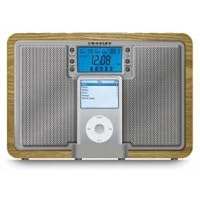
Tempo IPod Docking Station in Oak

Tempo IPod Docking Station in Oak
  • Retro styling
  • Satin polished Oak finish
  • iPod dock, MP3 player compatible
  • Portable Audio Ready (PAR) technology
  • AroundSound feature for discreet listening

I've used this radio/ipod clock for several months now and it is pretty decent albeit a little large for a nightstand. It does look good in a subtle understated way, although they might have put the ipod dock on the side where it's a little less obtrusive. It does charge the ipod while it's in the cradle, which is something not every dock can do.

The adapter runs hot, which should have been a warning for what eventually happened. A muted popping sound and then a burning plastic smell started wafting up from my nightstand yesterday morning...I traced the source of the sound and smell to the adapter. After removing it and calling the company, I was told that I had to pay twenty bucks for a new one. I declined, since I could purchase one for much less locally (and I thought they should have offered to comp it since it wasn't even a year old). The main source of worry is that this might have started a fire had I not been there when it happened. Be aware that you might want to buy a better quality adapter for this if you have your heart set on this product.

Buy Tempo IPod Docking Station in Oak Now

This is a great little iPod player, perfect for a bedroom, office or small apartment. It's really basic (can't program radio stations) but excellent for someone who doesn't need something fancy. I've had mine for about five months and am extremely pleased.

Read Best Reviews of Tempo IPod Docking Station in Oak Here

I bought one of these from a 'bulls-eye' type store for $65 recently. I had originally purchased it for home but ended up buying a second on clearance to use at the office later. It's very well constructed and great at the office but there are several poor design features for the home user.

My biggest complaint is adjusting time and tuning settings. Be prepared to hold down the tuning buttons to scan through the clock minute by minute or the radio channel by channel. This would be a minor complaint if there were preset channels since I don't expect to have to change the time frequently. This isn't really a problem a work though since I use the iPod dock or leave the radio on for quiet background noise anyways.

My other complaint is that in my bedroom at night the back light is too bright even at the lowest dimmer setting. The entire room is blue enough to cause night blindness when I have to leave the room for any reason. This yielded the inevitable stubbed toe and cursing b/c I was too impatient to wait for my eyes to readjust. My quick solution was to open up the box and add a switch on the back light LED and wire it to the back panel of the box. (the box is real wood by the way) An even faster solution would be to just cutting a wire on the LED but it is nice to have the option to turn the LED back on during the day. Of course this isn't a problem in my office anyways.

Overall I'm happy with the radio and it serves it's purpose.

Pros: Good sound, sturdy construction, iPod dock and integrated remote control are nice. The external FM antenna is nice for large offices where reception is difficult.

Cons: Incremental adjustment for all settings is annoying, the clock/alarm, date, and tuning are set by by minute, day, and decimal respectively. No presets for radio. Back light is too bright.

Want Tempo IPod Docking Station in Oak Discount?

This iPhone speaker system fails to prevent the dreaded signal popping "bzzt-bip-bip-bip-bip" that can happen when iPhones are in close proximity to speakers such as when charging next to your clock radio. Since this radio is MEANT to dock an iPhone, you would have thought the manufacturer would have shielded the proper components so this wouldn't happen. But both my iPhone 4 and my wife's 3S make the popping sound constantly making the iPhone dock useless turning this into a very expensive AM/FM radio.

Bought this for my husband for Christmas. He loves it. The design is very aesthetically pleasing and it sounds great! Well worth the price.

American Red Cross FRX3 Hand Turbine NOAA AM/FM Weather Alert Radio with Smartphone Charger - Red (A

American Red Cross FRX3 Hand Turbine NOAA AM/FM Weather Alert Radio with Smartphone Charger - Red
  • Receives AM/FM/Weather band
  • USB smart phone charger
  • Hand turbine and solar powered
  • LED flashlight
  • Aux- input

I've had this radio for a little over a week now and have beeen putting it thru it's paces. All three bands, AM, FM and the weather band have excellent reception. I have no problem recieving the weather stations here in Western Massachusetts and both AM and FM recieve all the loca; stations perfectly. Audio quality which I admit isn't the primary reason to buy an emergency radio is really realy good. Sound quality is more than acceptable and volume is capable of being loud enough to be heard in a noisey room without distortion. I haven't tested the rechargable battery capacity yet but have confirmed that charging buy usb, solar or hand crank work as advertised. What makes this radio unique is the way it recharges a cell phone, instead of needing to use the hand crank, you charge the phone via a battery dump from the onboard rechargeable battery pack. You recharge the radio battery then plug in the phone which means you don't have to sit there and crank. After trying a few different emergency radios I find this one a keeper and I'm extremely happy with the purchase

Buy American Red Cross FRX3 Hand Turbine NOAA AM/FM Weather Alert Radio with Smartphone Charger - Red (A Now

I just received this radio. I purchased it for emergency purposes. Here is a summary of the features: AM/FM/7 weather bands. The reception in my area for all 3 functions is excellent. It comes with a retractable antenna which tucks away nicely when not in use. The radio is powered in 1 of 4 ways: solar (takes 10 hrs of direct sunlight to completely charge the NiMH battery); an included NiMH battery which is what is charged by the solar panel & the hand cranking (90 seconds of hand cranking yields 5-7 minutes of radio use per the instructions). The NiMH can also be powered by plugging the radio into a USB port on a computer (2 hrs to charge the battery this way). The radio can also be powered by 3 AAA batteries (not included). In addition, there is an adapter for DC power, but no charger was included (I need to call the manufacturer to inquire). The radio comes with a clock and alarm clock. A cell phone can also be charged via a "dump" from the included NiMH battery--the built in battery simply trickles the charge from the radio to the cell phone. The radio is indeed plastic, but doesn't see "cheap" to me, and if basic care is taken, the radio should do fine. The crank is also made of plastic, but again, with common sense, should provide years of service. I paid $45 for this radio on Amazon, and plan on getting several more for family/friends. There is a simple 2 white LED light and a blinking red LED. Someone criticized this light, but seriously, if you want a good light, then buy a dedicated flash light!! The built in LED light is adequate for a simple task, but it's not an "uber-lumen" light--I would suggest a Steamlight or Surefire light for a great LED light.

Read Best Reviews of American Red Cross FRX3 Hand Turbine NOAA AM/FM Weather Alert Radio with Smartphone Charger - Red (A Here

I will just summarize this product:

construction is plasticI don't believe it is waterproof (not a big deal to me). If you drop it, it may break depending on the height it is dropped from.

It has a cable for charging and comes with a rechargeable battery.

It can charge an iPhone4s and a Droid X2.

the crank is plastic so be gentle. You don't have to have brute strength to crank it or to utilize the recharge function.

The antenna is retractable and metal. It is easy to break but you can keep it tucked out of the way. The reception is good and dependent on your location. (am/fm/weather)

There is a solar recharging cell on the handle and it works nicely.

The flashlight is a joke. It is best suited for reading something close-up. Your best bet is to also have a flashlight around for emergencies. The flashing red light is also a joke. Again, have a handy flashlight to accompany this radio for emergencies.

Overall, I don't regret buying this radio. It is nice and serves the functions it was designed to perform. I would buy another if I needed to.

Good value for the money.

Want American Red Cross FRX3 Hand Turbine NOAA AM/FM Weather Alert Radio with Smartphone Charger - Red (A Discount?

I own the eton FR160 Microlink, and the Kaito KA350 Voyager. Both are great for bug-out bags or camping, but I was looking for something for my home preparedness kit, and thought I'd like something a bit larger, with more to offer than the other radios. I was prepared to purchase another Kaito, mainly because it allows you to use batteries as a 3rd power source. But then I saw the FRX3 and after hours of research between the Kaito, the eton FR600, FR360, Axis, and the FX3, looking up the manufacturer's manuals rather than reviews, I decided to go with the FRX3.

The main feature that clinched it for me wasn't really even advertised. I compared this to the eton FR600 and the Axis. The FRX3 does state in the manual that it dump-charges like the Axis (and it DOES), but it's not really advertised anywhere else. The styling looks a little nicer too than the AXIS. But the FRX3 supports solar charging, and the Axis does NOT. They're both the same price, but an extra power source is a definite plus, especially if it's "free". You CAN tune the FRX3 with the knob, or the up and down buttons, a nice feature I stumbled upon. It also supports 24 hour time, but it's not in the manual. Just press SET for the hour, again for the minutes, and again for the 12/24 hour. The unit charges through a window even on a slightly over cast day, so I can leave it in the window and not worry about the battery going dead from non-use, or having to keep it plugged in. Compared to the eton FR600, you give up the shortwave capability, and the date on the clock, but the FR600 does NOT support the dump charge, nor does it use the USB input to charge a big sticking point for me all I need is a USB AC Adapter, a mini USB cable and a micro USB cable, and I can charge my phones, 2-way radios, GPS, and almost anything else I need, including the FRX3. Nice, instead of everything having it's own cable.

The flashlight it a little weak (I couldn't find a lumens rating, but it's only the top 2 LEDs, I'm guessing 50 less than a square lantern flashlight), but it's good as an emergency one until you find your main light. The red LED beacon is kinda goofy, but I guess it serves a purpose. Some do SOS, this ones does not.

This radio has everything you could want, except for the shortwave capability. Like I said, you can move to the FR600, but you loose the dump charge, which makes a big difference, and you can't use a USB cable to charge it. And it's $20 more.

The only downside I've found is that you can't turn the unit off. You get ON, or STANDBY, which leaves the clock on. I guess you'd need that for the SAME function, but I have a separate unit for that and would like to shut this off to save the battery. Otherwise, LOVE IT. If you're juggling a few, BUY THIS ONE.

Save 30% Off

The FRX2 AM/FM/NOAA Weather Radio with USB Smartphone Charger and LED Flashlight came out of the box with enough charge to run for about 45 minutes. I discharged it completely by running the FM radio loudly and in 45 minutes I began to run it through its paces. It did EVERYTHING it says it does, some things REALLY well. The bulk of my review describes my verifying all features.

Pros

* Does EVERYTHING is says it does, some things REALLY well

* AM, FM, and Weather Radio features are nice multiple options

* 3 x LED flashlight is power stingy, useful bright

* Handy footprint

* Sturdy feeling and solid crank

* Esthetically pleasing

* Lots of different powering options

* Comes with mini-USB to USB cord for running power from a laptop

Cons

* No gauge to indicate power level remaining or if fully charged

Considerations

* Does not come with external power supply (not meant to be day-to-day radio)

* Not waterproof (not advertised as waterproof)

* Documentation could be clearer (it is "adequate")

Having the right cables and USB adapters are relevant to charging this device, and using it to charge a cell phone. I suggest (and have done this myself) keeping your cables wrapped up and attached with a "twistie" to the lanyard that comes with the radio. That way when you pop this in your emergency kit these will be attached to the device for use. Put these all in a heavy-duty ziploc baggy and, throw in with your emergency kit at home, on your boat, in your car, or with your camping gear, and you're good to go.

SUMMARY: All features worked well and as advertised. For details, feel free to read below.

Powered with crank (my favorite feature)

While cranking, the green battery light comes on indicating the device is getting power.

Test started with device battery drained. The crank turns VERY easily and steadily and you can keep up a 1 revolution per second speed without fatiguing. I was able to use the radio and LED flashlight on crank power alone. The footprint of this device made it easy to actually hold it as a flashlight and crank easily at the same time. If there is no charge in this, you can still easily use it to pick up a radio station or supply light, or both. The ultimate emergency power supply.

To charge it, I cranked for 5 minutes, then ran FM radio fairly loud for about 8 minutes until it died. Running on a low sound will give you more radio time, and I got well over 10 minutes on low volume with 5 minutes of slow and easy cranking. Five minutes of cranking and the LED flashlight (by itself, no radio) lasted for 1 hour and 45 minutes (manual says 2 hours close enough for me). I cranked very slowly with little effort, but more, longer, harder cranking will give you (duh) a longer lasting charge.

Notice that the radio uses much more power than the light.

Powered using external USB (DC) input

While powered with external input, the green battery light comes on indicating the device is getting power.

Test started with device battery drained. I turned on my fully charged ASUS netbook and connected the supplied mini-USB to USB cable to the netbook and ran the radio and flashlight from the turned on netbook with no problem. When I used this connection to charge the unit (radio turned off), I found I got about 1 minute of loud FM radio for every 1 minute I charged it. Worked as advertised.

You can use this with an external "wall wart" power supply. I used the supplied mini-USB to USB cable with an AmazonBasics Wall Charger with USB Outlet( 2.1 Amp Output). Since this isn't marketed to be your day-to-day radio I don't find the lack of an external power supply critical (though it would be nice for charging purposes, say, before you took this on a camping trip). Almost any standard wall charger with a USB connection should work with the supplied cable.

Powered with solar "panel"

The green battery indicator light comes on while charging in the sun

Test started with device battery drained. This is a VERY tiny solar panel, but after discharging my unit I left it in the sun for about 1 hour just to verify that solar charging worked. Playing FM loudly I got about 12 minutes of radio play. Because of the vagaries of charging in the sun (including your geographic latitude) this is unlikely to be used much. But it DOES work. The manual says "10-12 hours in the sun will allow about 3 hours of play depending on volume levels." There's lots of wiggle room there for different performance levels.

USB Smart Phone Charger

I tested this with my BlackBerry 9300, battery indicator at 1/2, and using its own USB cable (USB to micro-USB). Just plugging the cable in to my phone and then to the USB port of the FRX2, my phone's "charging" light came on and blinked merrily. So, using whatever power you have in the FRX2 you can charge your phone. This is a very cool feature.

I discharged all power from the FRX2, and the USB to micro-USB cable as above, but this time cranking the turbine to supply power. As advertised, while cranking the FRX2 the green light came on, and my phone's "battery charging" indicator came on. I didn't want to test this feature too much because of potential damage to the phone (see the documentation) but all appearances are that, yes, this feature also works. In an emergency you should be able to supply power to, and charge, your cell phone. You should verify this with your own cell phone, and insure you have the right USB cables and adapters.

An easy 5 stars because I'm used to similar devices which promise the same things, but end up being cheap, barely useable toys. This radio is the real deal.