Showing posts with label fm radio alarm clock. Show all posts

Altec Lansing M650 30-Pin iPod/iPhone Speaker Dock

Altec Lansing M650 30-Pin iPod/iPhone Speaker Dock
  • Nested subwoofer on bottom delivers deep bass
  • Full-featured remote lets you control audio and select iPhone and iPod features
  • Auxiliary input - Connects a second audio source

I was quite surprised at the quality of the sound from this unit. I tested it in our living room, a large space in an open floorplan, and the sound filled the space pretty well considering how far apart the walls were. In the master bedroom, however, it was amazing! I put it on one side of the room and was surrounded by music.

I did a comparison with our Bose Companion 2 Series II multimedia speaker system, changing back and forth between them to see how each performed. In louder sections of music, the Bose did seem to retain more clarity, but the sound was highly directional. It's never an issue sitting at the computer, but compared to the Altec Lansing M650 Speaker System it did not fill the room with bass.

Some quick points to consider...

The Good:

* Great bass and clear treble on all styles of music

* Onboard EQ with presets and custom setting (really helps to bring the bass up or down as needed)

* Remote works well in large room

* Sound fills a large space

* Small footprint, can easily hide away on a bookcase or shelf

* Charges iPhone or iPod while in use (note: I tested it with an iPhone 3GS)

* Video out on the back for playing iPhone or iPod video (have not tested yet, will update when I get a chance)

* Auxiliary input for playing non-iPhone or iPod sources (something lacking from many other sounddocks)

* Blue LEDs on front light up when changing volume or EQ to indicate levels, very handy

* Decent size for travel, would be nice to have in a hotel room

The Not-so-good:

* It's a little tricky to get the iPhone off the dock connector at first. The dock is on a spring and angles back toward the speaker to hold it in place. It's easy to get off with two hands, but removing it with one takes practice.

* Power cord is bulky and will take up extra room on your power strip. (note that the Bose sounddock removes the bulky portion of the power cable and places it along the cable instead of right at the plug.) This isn't a huge deal, just something to be aware of.

* Music can lose some clarity at top volume levels

That's about it, really. None of these three criticisms are a deal-breaker for me, and my wife loves having it in the living room. She will play music all day no matter where she is in the house and has told me several times how much she appreciates it. The $200 price tag might scare some, but not when you compare it to other serious sounddocks. In fact, compared to the Bose SoundDock Series II Digital Music System for iPod (Black), which we've had before, it is a bargain and produces equal sound quality.

I would recommend this to anyone wanting a simple solution for good sound from their iPhone or iPod in their home.

Buy Altec Lansing M650 30-Pin iPod/iPhone Speaker Dock Now

Update: Dec 8, 2011. I have been using this for two months now and I can say that I am extremely happy I decided on this model. Sound is full, remote is great, and it is just looks really nice. No regrets at all!!!

The design and features, not to mention the quality of the sound of the Altec M650 speaker system sets it apart from many others in this price range. First, the dock itself is allows iPhones to fit using with any size case. Also, rumors abound that the next iPhone may be slightly larger, 4" vs 3.5" screen. If that happens then many current docks will not be compatible with newer phones and you know what that means imagine spending $600 for a Bose 10 that doesn't fit your new iPhone/iPod!!! And, Yes, it does charge your device. The remote, unlike many, is full featured including dedicated Base and Treble controls, something you should expect at this price point. Plus, a free app includes four equalizer presets plus the ability to create several more of your own custom presets, all of which can be accessed from the remote or the app. So between Equalizer Presets, Bass & Treble controls, you have the ability to adjust the sound to what works best for your music. I listen to mostly classical but also jazz and talk radio using iTunes, Pandora, AccuRadio and TuneIn Radio apps. I may not want strong bass with talk radio since it is only voices so I can quickly and easily select the appropriate setting/preset. The App presets include Rock punches the bass, Hip Hop, punches bass and treble, Pop punches the midrange and to a lesser extent the bass, and the `Altec' preset which leaves everything alone. Lastly the free app has four mood/visualizer sounds with videos like waves crashing at sunset, a cracking fire, streams... These are useful for relaxation, reading, or just helping you fall asleep. In addition there are Audio In ports to hook up to non-Apple devices or a computer. Plus it also has ports to connect the video out to a TV I haven't used this feature but these do help to set it apart from other docks.

The unit is well constructed with a sturdy feel, sporting a beautiful, elegant design that will look good anywhere and uses two 3" woofers and a 4" subwoofer. The down firing subwoofer really helps create deep, rich sound. At this price point you should expect rich bass, not a tin box. Just be careful when picking it up so as not to press your fingers against the subwoofer at the bottom and also try to make sure it sits on something sturdy since that is what the subwoofer will vibrate off of. The unit has a blue LED power light and uses a series of small blue lights to show the volume, bass and treble levels while you are making a adjustment then a few seconds later these lights will dim away, except for the power light.

Of course what is most important is the quality of the sound full and rich. When I got mine I ran pink noise through it from my White Noise App for three nights to help burn in the speakers. It is important to note that sound from a new speaker is not necessarily at its best because the speakers need to burn in to open up like breaking in a new pair of shoes so be careful not to judge the sound of any new speaker too quickly. If you don't have the White Noise app, then get it or just use one of the mood sounds from the App like Mountain/Clouds to break it in. Bottom line, the sound is great, especially if it is in a small or medium size room. I do not have a very large room mine is in my living room which opens to a dining area and performs superbly. Also, unlike some other docks and many types of computer speakers, the sound is not particularly directional this is important if you will be moving around.

Okay, so what's wrong with it. Nothing really but I would not have minded if they designed it slightly wider and included 3/4" tweeters but I really don't have any complaints about the treble. However, I do have two small Cons, or rather, things to be aware of. First, at very high volume the sound will distort. For myself these volumes are louder than I will ever use it so this is not a concern for me but it might be if you blast your music. The other thing is that one of its virtues, the bass, can be unpleasant when listening to heavy bass music if the bass setting it all the way up. I suggest testing with your most bass heavy song to see for yourself. Turn it up all the way thensimply turn down the bass level until it sounds right and just leave it there. For myself this is only about 20-30% of max. The test doesn't work if the bass is maxed out and listening to non-bassy music so by adjusting this setting for heavy bass you will not need to play with the bass setting and instead can simply switch equalizer presets to optimize what you are listening to.

I highly recommend this system to anyone that wants quality sound without spending a fortune. The current price, October 2011, is $199 but Amazon had a Columbus day sale for only $165 and that was when it moved from the wish list to the cart. I would expect another big sale on Black Friday. The unit is still relatively new but after six months or so from its introduction I would expect the price to drop below list.

As a side note my short list included the Kicker iK501 Digital Stereo System for iPhone and iPod (Black) and Audyssey South of Market Audio Dock. I tested the Bose SoundDock 10 Digital Music System which sounded wonderful but it did not make my short list because of price, $600, and the dock design which I do not think will work with a iPhone case plus the bluetooth option costs another $100$150 dollars making the Audyssey SOMA dock a much better value. I also tested the Beats by Dr. Dre Beatbox iPod® Dock High Performance iPod® Dock in three stores and passed because everyone had a broken dock making me fear this would happen to me. The dock holds the phone just right so without it unless I held my phone perfectly then error messages would constantly pop up stating 'this device is not compatible'. Also, this system does not have Bass or Treble adjustments but it does have great sound and if you love to play 'heavy bass loud' then check it out since that is exactly what it is designed to do best. The Bose series II seemed overpriced for the features, or lack of them, and didn't sound any better. The iKicker has great reviews and a good price, currently less than the Altec M650, but I passed because I did not want a 6" back facing subwoofer bouncing off my walls out of respect for my neighbors living below me. The 4" downward facing subwoofer of the Altec hits the top of a old stereo cabinet that sits on a rug so no problems with neighbors walls or ceilings vibrating. Also, the dock design of the Kicker may or may not hold a phone with a think case and certainly not a slightly larger phone if that is what the future holds. The Audyssey SOMA has excellent reviews for sound quality with two 4" woofers and two 3/4" tweeters, includes bluetooth and similarly designed dock but it is $369 making it better than the Bose 10 with the bluetooth option but almost 2x as much as this Altec. Bluetooth is a very useful feature as it does not tie up the phone but the downside is bluetooth is also a battery hog and will lower audio quality a bit. I may eventually get an Audyssey SOMA if the price drops and move my Altec 650 to my home office to replace my computer speakers and pick the Audyssey for my living room but for now I am glad I bought the Altec 650. You will not be disappointed in the sound and features but if you want something portable, (with batteries) then keep looking.

Update: Dec 31st: A couple of times in the past two months the unit seems to have died (working great now) no sound at all with a warning like 'device not compatible'. At first it drove me crazy as I tried to turn On/Off, both my iPhone 3GS and the Altec, but nothing. Then I simply I disconnected the power cord from the back of the Altec, waited about 60 seconds, then plugged it in and tried again just like I do when my router or modem has problems. After that everything works perfectly and my settings, Bass, Treble... remained. Not sure what the problem is but at least I now know the fix. Anyway, I mention this since I have seen a few reviews that indicate this unit stopped working but perhaps in some cases this was the fix.

Read Best Reviews of Altec Lansing M650 30-Pin iPod/iPhone Speaker Dock Here

I needed a nice sounding unit for a bedroom that could play an Ipod and had an auxiliary port for an Ipad, etc. Cnet gave this a favorable review and i decided to pull the trigger. Despite being a little more expensive than most compact MP3 speaker systems, I decided it was worth a try. I tend to like nice stereo equipment so I was a little apprehensive to drop $200 on an Ipod player. I considered a Bose system, however, the unit won't be used daily so it didn't seem practical.

The unit itself is handsome, fairly compact, and fits nicely on a dresser, night stand, etc. The construction appears to be high quality. It has a density that contributes to the quality of the acoustics. The woofer generates nice base and is located on the bottom. I recommend putting it on a dense, solid surface to get the best results. The clarity of the treble is quite good.

If you are looking for "portable" then don't go here. This is not battery operated. It is easily transported from one room to another, but it is not something you can will want to pack and take with you. The remote works great with my Ipod Touch and there is some Altec Lansing Apps that you can download. One allows you to turn it into an alarm clock which is pretty cool.

I might change my mind and give it 5 stars, but since there are a lot of choices in the $100 range I feel I paid a slight premium for the product. The sound quality is certainly 5 stars and the value is 4 stars. If you want a great sounding unit, but don't want to overspend on a Bose system then give this a try. You won't be disappointed.

Want Altec Lansing M650 30-Pin iPod/iPhone Speaker Dock Discount?

Altec Lansing has a reputation for good sound, and this system is no exception. There's only one con which is why I say 4½ stars, but it's no showstopper. First the pro's:

' The SOUND. Wow, once you tweak treble and bass correctly for the type of music, the sound comes alive! Rich in tone, especially due to the added subwoofer.

' I repeat, the addition of a subwoofer. Nothing adds fullness better.

' My iPhone fits on the dock with my rubber Incipio case on. That's a real nice convenience.

' Controls are placed right on top and there are blue LEDs that show you the level of bass, treble and volume, no guessing.

' A really small and flat remote control is included, and I mean flat, must use a watch battery. No additional monster-sized remote to throw on the pile.

' Component Video Jacks! I haven't tested them yet but there's no reason they shouldn't work. You can play video on your flat screen with rich sound coming from the Altec unit. Nice unexpected feature!

' The sound. Did I mention how good the tone is on this thing? I'm picky, believe me.

' The iPhone App. Download it and use it to play your tunes. Yes, the iPod will already do that, but there are EQ settings in the app that sweeten the sound. It's free, no brainer!

OK, one con: the subwoofer gets overdriven VERY quickly with bottom-heavy songs (like the low B the bass player hits in Riverdance's "Slip Into Spring". I'm not expecting magic from a unit like this, but it got fairly tubby sounding quicker than I had hoped. Once you dial it back, it sounds great. Careful, there's no screen, you can pick this unit up and put your finger right through the subwoofer cone.

All in all, if you want WOW sound for a device like this, look no further.

Save 53% Off

Recently I purchased and reviewed the Devotec Industries Solar Sound 2, Solar Powered Bluetooth Speaker For iphone,iPad and any MP3 Player which I thought was incredible for a solar powered blue-tooth speaker system.

So having the Altec Lansing M650 seemed superfluous to my iOS audio needs. I was very, very wrong and whilst I wouldn't expect a battery driven external speaker like the Solar sound to really compete with the power speaker set with sub, I wasn't expecting such a stark improvement.

The first thing I noticed was the size of this set extremely deep to accommodate the hefty 4" sub which you can see underneath so take the time to gauge the measurements for your intended placement as this fellow's footprint is considerably larger than the current product pic suggests. Of course, that space is put to massive use and the M650 puts out large amounts of bass perfect for your summer deck parties. The second thing I thought was cool was the hidden multi-level bright blue LED lights which donate volume, power bass treble etc. They're tucked inside the speaker grill at the top left and so are invisible until the unit is switched on. Each LED has multiple levels of brightness denoting the current volume level which was a nice touch. The iPhone 4 I plopped onto the unit has a fairly hefty case on it but it fit without issue and immediately powered up to indicate the M650 was charging the iPhone. This was without the unit being on which is awesome. You can use this speaker system as a charger even if you're not playing any music or even have it on.

I tried Pandora and it was then I realized what an amazing sound it pumps out. I added many stations of random sound Tommy Dorsey, rap, hard rock and everything poured out with clarity and volume which totally belied the size (and cost) of the system. The tiny remote has many functions on it including the ability to custom EQ the sound or just choose from one of the presets.

A final function, which I did not try, is the ability to output both audio and video from the system. The video output connections are component which is the red/green/blue RCA type which if your TV is more than four years old may not have and the product spec claims composite too which is the single yellow RCA. I assume one of the component outputs doubles up as composite as I did not see a dedicated composite connector. Either way it would allow you to view videos through the M650 onto your TV. As an Apple TV owner this is something I can do wirelessly from the iPad/iPhone so I didn't test it on this unit but it's a nice feature to have.

All in all this is one of the best, if not the best, docking audio systems I've used and simply offers stunning sound from your phone/iPod without any issues. You may balk at the price but the speakers alone are worth the price of admission. The charger, the remote control, the video out are merely the icing on the cake.

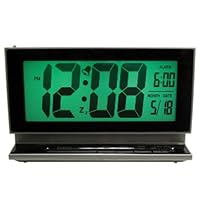
Elgin 2-Inch LCD Multifunction Alarm with Smartlite

Elgin 2-Inch LCD Multifunction Alarm with SmartliteI needed a battery-powered clock, readable from a distance, in a corner with no outlet nearby. I opted for LCD because of the lower power requirement than LED, but I wanted to read it at night, which required some sort of backlighting like electroluminescence. I found the 2-inch Elgin LCD battery-powered clock on Amazon. It has an alarm, which I didn't need, but also has a toggle switch which enables/disables a light sensor; when enabled, the sensor turns on green backlighting at night (probably EL).

I ordered and received the clock. It functioned well, but the big test would be how often I would have to change the batteries. I used NMH low-discharge rechargeable batteries. I installed the batteries during the last week of September, hoping that I wouldn't have to recharge them more than every 2-3 weeks. It's now mid-February, more than four months later, and I still haven't had to recharge the batteries. This clock fulfilled all of my requirements, and has far exceeded my expectations for battery life. I'm definitely going to order another.

I was hoping to have a clock so the time could be read from a distance of 15 feet. The picture shows a green background & that works if the room is dark. Without the green background, the clock is hard read even from a couple of feet away. There is no way to keep the the green light on all the time the sensor to turn the green background on works only when the room darkens. The numbers are a good size & the clock looks nice wish I could see what time it is.............

Buy Elgin 2-Inch LCD Multifunction Alarm with Smartlite Now

This clock seemed like a great idea. However, when I received it, it was extremely cheaply made. The main issue was that it could not be set. Buttons would stick, the setting display would roll through dates and times and make it impossible to stop it or reset it. Don't recommend this one at all folks.

Read Best Reviews of Elgin 2-Inch LCD Multifunction Alarm with Smartlite Here

I loved so much about this clock before buying it: big numbers; displays date and alarm time simultaneously as clock info; ascending alarm; auto backlight. Plus, after having spent some time with it, I love how dead simple it is to set up. However, after using it for over a week here are some of the issues:

1) Can not read the numbers if your eyes are situated below the reading plane. Yes, if you are seated/lying below this clock you will NOT be able to read anything on its display. Really BAD.

2) Poor side visibility. The viewing angle is something like 70 degrees or so, which is generally ok, however I am used to the old digital clocks where viewing angle was not really an issue (think 80's and 90's red colored number displayed alarm clocks)

3) Washed out lcd during daylight. I had to cover the auto-backlight sensor with some black electrical tape so that the backlight would be on all the time in order to gain the contrast needed to view the lcd numbers during the day time.

4) No way to tilt this. I understand most clocks don't have this, however because this clock can not be seen from below it really needs to have some tilting mechanism so that its display can be angled upward.

I am thinking I may still keep it. I really like the big display, and from what I've found almost all the new led clocks can't be viewed well unless you are directly in line with them, so apparently this clock is not alone in its display problems.

Want Elgin 2-Inch LCD Multifunction Alarm with Smartlite Discount?

Just received this clock. It arrived a day earlier than estimated. Easy to set up and works as described. The numerals are large and easy to read. The backlighting is a soft green, but, I find it quite bright at night due to the large clock face. My previous clock had a soft blue backlight which I found to be not too bright. Blue light is also supposed to be more stimulating to the brain so it might be more disturbing. The bright green backlight can accessed by pressing the snooze/light button on the base and it is really bright. The alarm starts out as a single beep/second and increases in steps to a constant series of beeps. I would think that should be enough to wake up most people. I noticed that others had commented about viewing angles. I think this clock is designed for use in the bedroom using a nightstand or similar table that is even with or below the level of the bed. As such, this clock can only be viewed from above a point level with the clock face. The digits start to fade as one drops below the level of the face. Viewing from the sides does not appear to be a problem until one has difficulty seeing the face. The digits are still visible in ambient daytime lighting coming through a draped window. The nightime sensor is on top left, seems pretty sensitive and triggers the low level back light before the room is fully darkened. The sensor can be turned on or off.

Save 30% Off

Eton NPT200WXB Rover Self-Powered Weather Radio with Flashlight and USB Cell Phone Charger

Eton NPT200WXB Rover Self-Powered Weather Radio with Flashlight and USB Cell Phone Charger
  • AM (520-1710 KHz) & FM (87-108MHz), NOAA weatherband - all 7 channels, 3 Built-in white LED light source
  • Self-powered aluminum crank with TurboDyne technology, Direct USB power transfer (includes USB cable), Rechargeable lithium-ion battery, 3.5 mm headphone output
  • Telescopic antenna provided for maximum range and reception
  • Includes: USB cable, owner's manual, warranty card

Awesome little bit of kit.... Heavy made, uses a li-po battery. Crank is like something off an M1 Abrams main battle tank. Am reception is ok, FM reception is very good, wx reception is pretty good. Charges iPhone 4 no problem. Not crazy about the goofy ring to change bands/modes. And for such a heavy duty unit, it has a tiny fragile little telescopic whip.

One issue... All the text on the unit ("Volume" "Tuning" "AM FM WB1 etc" "Eton" "Rover") rubbed right off! I was holding it with one hand and cranking with the other and noticed one of the words was smudged... not thirty seconds later I had completely rubbed off EVERY bit of text on the unit as if it were never there. I know some people have some kind of harsh sweat that does this sort of thing but I have never had anything do this before. I don't really mind, I know what the controls do and I actually think it looks better this way but it all just rubbed right off!! Like it was written with dry erase marker!! I know this will cause a problem with some users at the worst possible time.

Buy Eton NPT200WXB Rover Self-Powered Weather Radio with Flashlight and USB Cell Phone Charger Now

The device charges my HTC Evo phone via USB. I think it is one of the only hand crank flashlights on the market that can charge smartphones. I assume it would charge the iPhone 4 as well. Out of the box I plugged it into my phone with an extended battery it went from 50% to 60% charge before the battery on the flashlight was completely dead. It could be useful to charge your phone to get you by in a pinch however if your main goal is to have a self powered way to charge your smartphone without connecting to the grid you may want to reconsider. A cheaper external battery pack that can fully charge your phone may be a better option even if you have to recharge the battery pack via AC or DC power.

Around 30 seconds of hand cranking gave me over 30 minutes of LED lighting. That was pretty impressive. The flashlight is pretty bright and covers a wide area. The beam is fairly focused as well. However because this unit is quite large it would be pretty hard to use as your everyday flashlight.

The unit is built fairly solid and looks great but I can tell a drop from a few feet onto a hard surface would probably cause some damage. Luckily it comes with a strap so you can attach it around your wrist to reduce the chance of an accidental drop. It would be nice if there was a hand grip but their isn't.

In the San Francisco Bay Area I was barely able to receive any radio stations indoors. There were a few AM stations that came in but FM was all static. My cheap alarm radio without an external antenna can pick up pretty much any station whereas this device can't. There are several weather stations that are preprogrammed on the dial. All of those come in clear.

Overall this is good product but kind of expensive for what you get. In retrospect I would have been better off getting a small flashlight, radio, and external cellphone battery pack for a emergency kit.

Update: After having this thing for a month I realized the dial that switches between AM/FM/Weather radio is loose. If I hold the dial with a solid grip the radio stations come in clear however as soon as I release it pure static. Most likely I got a radio with a manufacturing defect. Hopefully others that order this product wont have the same problem and have to deal with returning it to amazon. Even if everything worked perfectly I still would only give this 3 stars based on the cost/value.

Read Best Reviews of Eton NPT200WXB Rover Self-Powered Weather Radio with Flashlight and USB Cell Phone Charger Here

This unit is convenient, well designed and handy. It is lighter, smaller and in some ways more capable than its more expensive Axis brother and the FR series units. More advanced battery (Li-Poly). Greater charge in less crank time. Fully chargeable using a USB cord attached to an AC adapter. When fully charged, the radio can run for hours. Can charge cellphones when you are NOT cranking unlike other units. Analogue tuning allows use both in the United States and overseas. Digital units do not have that capability.

Want Eton NPT200WXB Rover Self-Powered Weather Radio with Flashlight and USB Cell Phone Charger Discount?

Just arrived, had it out of the box for an hour so far. Ill update this comment with cell phone charging tests and longevity battery life. So far so good..... At first I didnt like the way the flash light button depressed. It felt squishy but then I realized its good to go and also you dont have to fully depress the button so you can kind of use it like a strobe function. Button just needed a little breaking in. Picked up some FM stations, tested the weather, cranked it a few times. Flash light came bright out of the box, its enough to light up a dark room thats for sure. This is no piece of junk, I cant wait to put it to the cell phone test, after about 2 hours of research this is the self powered radio I chose. Prettyyyyyyyyy cool. Little expensive but worth it. Going in my bug out bag, already found a little hershey kisses tin to keep it in to protect it from weather and crunches.

Save $0.05 Off

It is compact while providing a lot of options. I like the fact that it contains a flashlight, a radio (including emergency channels) and can charge a USB device. It is very sturdy and the crank does not feel like it would easily break. Overall, a good item to have especially when living in San Francisco where we expect the 'big one' anytime soon!

8" In Dash 2-Din Car DVD Player with GPS Navigation Radio Bluetooth TV Map Car Stereo Auto Video for

8' In Dash 2-Din Car DVD Player with GPS Navigation Radio Bluetooth TV Map Car Stereo Auto Video for KIA Sportage 2010-2012
  • Specific car models: KIA NEW SPORTAGE 2011; 3D Animation User Interface, Super Anti-Shock System (ESP Function), Steering Wheel Control Function, Built-In LCD Clock Display Function.
  • USB/SD slot maximum compatibility: Can support soft drive such as USB flash drive, or MP3 player with maximum 16G compatibility, Can't support portable hard drive. Can support micro SD Card of maximum 16G compatibility.
  • Picture in Picture Function (Dual Zone): 1. Enjoy Navigation with car speakers in the front zone; while backseat passengers can enjoy DVD movies through the AV output of the unit. 2. You can listen to the music while using GPS navigation at the same time.
  • Support iPod/iPhone 4 Input; Support iPod/iPhone Music Playback: iPod CLASSIC/iPod NANO/iPod TOUCH/iPhone3/ iPhone 4s; Can be charged when connecting.
  • Accessories: 1 x Remote control *1 x Screws and mounts*1 x English User Manual*1 x power & AV cable*1 x GPS antenna*1 x USB cable*1 x IPOD cable*Free Map; Optional features: ISDB-T($36), DVB-T(1 tuner: $60; 2 tuner: $70), CANBUS:US$50.

Sorry, I do not find you as providers ratings of these teams, so I want to know how safe it is or how to contact them directly in USA.

this is the product that interest me.

8" In Dash 2-Din Car DVD Player For KIA Sportage 2010-2012 with GPS Navigation Radio Bluetooth TV Map Canbus Car Stereo Auto Video

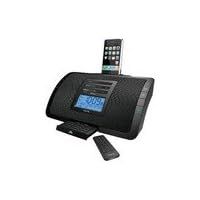
IHOME Product-IHOME IP90SK iPod/iPhone Dual Alarm Clock Radio (Silver)

IHOME Product-IHOME IP90SK iPod/iPhone Dual Alarm Clock RadioI was looking for a radio alarm with battery backup, good sound quality, and a good "gradual wake" feature, where the radio alarm volume comes in gradually. It is on this last point that the unit really disappoints. If you set the volume to a relatively low setting like 10, it doesn't come on gradually, instead it is abrupt and jarring. Only setting to a really high volume does it show some gradual increase in volume, but even then it happens in just a few seconds. I was hoping for something like 30 seconds. I even sent the unit back to the factory twice (each time explaining the problem via email, their response was to send the unit in). After the second time, they informed me that that was the "default setting" and returned the unit with no change. At least they paid shipping both ways. But if gradual volume feature matters, this unit won't deliver, unless you want the radio extremely loud.

Hero H9500 - 5.3 inch QHD (960*540) 1GHz dual core MTK6577 CPU, 1GB RAM android 4.0 Ice cream sandwi

Hero H9500 - 5.3 inch QHD 1GHz dual core MTK6577 CPU, 1GB RAM android 4.0 Ice cream sandwich 3G tablet phone dual sim 8MP WIFI GPSuyy buen equipo ,no tiene nada que envidiarle al Samsung galaxy S3, buena camara, navega muy bien por internet,tiene el GPS no hubo necesidad de instaslarlo

Sony CDXGT540UI MP3/WMA/AAC Player CD Receiver (Black)

Sony CDXGT540UI MP3/WMA/AAC Player CD Receiver
  • AM/FM radio, CD, CD-R/RW, MP3/WMA/AAC, iPod, USB, SAT/HD-ready receiver
  • 4 x 52 Watts maximum power with 6-channel pre-amp output
  • Blue key illumination
  • Includes direct iPod connection, front auxiliary input, remote control
  • One-year limited warranty

I purchased this model for my Nissan Versa without doing any homework on it...a local store was offering free installation along with a sale price, and I noticed it had a front panel USB connector so I was hoping it would play my MP3 files from a flash drive. I wasn't expecting much in terms of quality and features...I figured I didn't need to spend a lot of money since I would be using the 4 pre-wired door speakers that came with my car. To say I was blown away by the sound would be an understatement...I can only imagine what this would sound like with a nice speaker setup. In any case, here's my take on the good and the not-so-good.

Pros: Detaching the faceplate is easy. Attaching it can be a bit tricky, but with a little practice most

should be able to get it on in under 20 seconds.

It's loaded with many of the same features of Sony's higher-priced players. There are several

ways to locate a specific track when playing CD-Rs or USB devices containing a lot of files.

While playing regular audio CDs sounds amazing, this unit really shines in its ability to make

compressed (MP3) audio sound as good as the real thing; an improved sound processor

(compared to the model it replaced), a feature called Digital Music Plus Advanced, plus a

customizable equalizer all combine to give your data files excitement you've likely never heard

before.

For FM radio stations that comply with the standard, the Radio Data System (RDS) will provide

song information, help you find particular types of stations (News, Sports, Top 40, Rock, etc.),

and can even set the clock for you. The radio can also store the stronger stations

automatically (BTM), but I prefer setting them manually...otherwise, you'll end up with a lot of

presets you're not interested in.

Although I can't comment on its capabilities with an iPod, it does play my USB flash drives

without a hitch and has several shuffle and repeat play options.

Cons: The user interface and manual could be confusing and frustrating for some. Most of the

buttons and the dial have to control multiple functions, so finding your way around the different

features and displays requires patience and learning. I still find myself accidentally

changing a setting I didn't want to or just plain getting stuck. Since the displays are different

depending on the source (CD, Tuner, USB, Aux-in) selected and how much information is

contained in the source, you won't always see what you might expect to see.

The preset buttons are smaller than I would like. Some, like the source/off button and the

seek+ button, are together (like one big button), and it's easy to push the wrong one. The

included remote doesn't seem to help control the unit any better and doesn't include the

ability to access all of the track finding features. It seems best suited for a backseat

passenger.

Whether it's day or night, you may run into a problem seeing everything clearly. The blue key

illumination takes care of the buttons while driving at night, but the printed lettering above the

keys is almost impossible to read. During the day, bright sunlight can cause glare problems

and wash out the LCD display (in certain vehicles).

When Daylight Saving Time ended Nov. 1st, even though I had the unit set up to automatically

change the clock, I had to go back into the setup menu, turn it off, then turn it back on again

before the time reset itself (at least it was accurate).

When using the Zappin feature to hear short clips of songs to find a track to play, you have to

wait about 2 seconds in between each preview on a regular audio CD and at least 5 or 6

seconds on an MP3 Data Disc or USB flash drive loaded with songs.

For me, the pros far outweigh the cons...after all, you don't have to use all the bells and whistles just because they are there. The sound quality of the CD player and music played through the USB port is outstanding, and anyone desiring more from the radio at least has the option of expanding to HD or SAT radio. I recommend this receiver for anyone (including audiophiles), as it offers tremendous bang for the buck.

Buy Sony CDXGT540UI MP3/WMA/AAC Player CD Receiver (Black) Now

You DONT need an iPod to use many of the USB input features. I'm using a tiny 2GB Lexar FireFly jump drive in the USB portwhich is available through Amazon for about $12. I have loaded it with music and podcast mp3s using Windows Media Player.

I use the Sony controls to scroll through the contents of the flash drive, and can see the name of the Album or file, track name etc displayed. It would be easy to create playlists on the usb to make it even easier to use.

This means the total music "baggage" I need in the car with me is one one inch jump drive; no CDs, no expensive ipod or music player and cables to attract thieves.

I posted a 2 minute video of this Player in action on YouTube you will find it if you search for "Sony CDX-GT540UI".

Read Best Reviews of Sony CDXGT540UI MP3/WMA/AAC Player CD Receiver (Black) Here

I am doing a resto-mod 1977 Chrysler Cordoba and wanted to replace the stock AM/FM monoural radio with a modern unit at a price that wouldn't break the bank.

This is a FULL featured unit. The speakers are responsive, crisp. I paired them with the corresponding rear SONY 6x9 speakers and installed it myself in a day.

The controls do take a bit of getting used to like anything else but after awhile it becomes second nature.

My only complaint if you will are the small function knobs which can be difficult to find while you're driving. They are also placed close together so it is easy to inadvertently select the wrong function.

Other than that, as I said in my title an AWESOME unit for the price.

Want Sony CDXGT540UI MP3/WMA/AAC Player CD Receiver (Black) Discount?

Lets start with the three cons of both models:

The CDX-GT540UI has blue face plate illumination while the CDX-GT630UI offers a green backlight option too. The problem is that both of them are incapable of setting the brightness of the backlight, that is it shines too bright.

The prev/next buttons are small and hard to press.

The main knob default functionality is setting the treble, bass, fade, etc. Now, that makes no sense to me since I hardly set these options. Pressing the main know should have the functionality of that of the quick browse button.

As for the pros of the two models, both the CDX-GT540UI and the CDX-GT630UI handle (and charge) the iPhone nicely, which is invaluable for me when I get on longer trips. The music library is easy to browse both when the audio control is at the iPhone (iPod software) and at the car stereo. The sound quality is more than satisfying.

I used to own a CDX-GT630UI a couple of months back, but I sold it and decided to go for the CDX-GT540UI instead. The reasons I like the CDX-GT540UI better are the somewhat easier to reach prev and next buttons, the 1 character longer LCD display and the easier to detach face plate.

Save 41% Off

I have been researching stereo systems for a while and this one got some pretty good rating, I love the idea of the usb port and aux port, now I can play my ipod and not have an "Accessory Connected" screen anymore. I can control directly from my ipod which is awesome. I saw where people posted that it was really bright at night but i also read that there was a dimmer on it so i bought it anyways. I said all that to say that it is rather bright and can be aggravating. I even found the Dim switch and turned it on but it only affects the screen and not the blue lights on the outside which is the real problem but if you like a bright cab. get it. not that big of a deal. depends on you really. It sounds great, it looks good, if you read the instructions everything is real simple and it takes literally no time to get adjusted to it. Its worth the little money you are going to pay for it. its a quality product

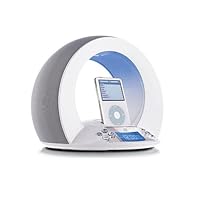
JBL Time Machine Alarm Clock/Dock for iPod - White

JBL Time Machine Alarm Clock/Dock for iPod - White
  • Wake up to favorite songs stored on your iPod--also includes radio and dual alarm
  • Large backlit LCD is easy to read, making menu navigation a snap
  • O-shaped, two-way speaker design with 6 watts of power per channel
  • Upward-firing tweeter and horizontal low and midrange transducers provide a 360-degree sound field
  • Compatibility: iPod nano (1G and 2G), iPod mini, 3G iPod, 4G iPod with click wheel, iPod Color, iPod Video

I am an iPod speaker/charger junkie having owned the Klipsch iFi and Bose Sounddock while currently owning a Klipsch iGroove. I have been looking to get an alarm clock to wake-up to my iPod, but the iHome was not quite the audiophile quality that I was looking for.

Positives:

1) Design-If you have a modern bedroom area, this thing is a cool head-turner. Design is underplayed in this market, but it is very important!

2) Sound-The sound is excellent at low to medium levels for both the iPod as well as the radio. The highs are very distinct and bass is noticable.

3) Ability to wake up to any song you like out of thousands on your iPod. I'm not sure what the last reviewer was talking about. I have easily been able to wake up to any song I like on my On Time. I can wake up to Wham or U2 or Rob Zombie, it's my choice!

4) The On Time gradually increases the sound for a gentle wake up experience.

Negatives:

1) The interface is not that difficult, but it's more difficult than the traditional alarm clock. Once you figure out how to do it, you will be fine, but it does take some figuring out.

2) Sound at louder levels is not great, but I'm not sure that's the idea. This item has small room filling quality, but if you have a huge bedroom and want to crank up the sound this might not be for you.

3) The time could be a little bigger on the readout. When I wake up in the middle of the night to check the time, I like to look real quick and go back to sleep. The numbers could be bigger, like the iHome, but are not as bad as some others.

Overall, I would not let the negatives detract you. If you have seen this on display at the Mac Store and liked it, you will like it more once you get it home. It's cool, sounds great and interfaces with the iPod seamlessly.

******************************

A lot of talk has been made about the fact that you can only wake up to the first song in your library. At first, I thought this was not true, because I was able to wake to any song I wanted...then I updated to the newest iTunes and newest firmware for the iPod Video 60GB and BOOM---it only now plays the first song of the alphabetically first artist on the iPod. I called JBL and they said that I actually have to go back and re-install the old software and firmware in order to wake to any song I want! What? I went to the Apple Store and they said, yes, this is true. There is no way to fix this. This is a MAJOR glitch in a product that has great sound and a wonderful design. True, you can go in and re-name any song on your iTunes to be the alphabetically first artist and first song, but who really wants to do that? JBL should stick to making speakers until they can get it right. If you make this purchase, please be aware of this flaw that I was not!

Buy JBL Time Machine Alarm Clock/Dock for iPod - White Now

Update 2: This thing crashes every month or so. The display shows gibberish. I have to pull the plug and batteries and then it restarts and I reenter the alarm settings. It happens often enough that I leave the batteries out to make rebooting easier!

Update: Since writing this review I've come across one alarm bug and one glitch:

The Alarm buttons have 3 functions: set, remove, and, silence alarm. The 3rd function is only active when the alarm has gone off. If Alarm 2 goes off, and you hit the Alarm 1 button in error, the 'silence alarm' function for Alarm 2 is no longer available. You have to turn off the JBL. I think a programmmer forgot to use a state diagram.

I had an alarm failure which at first I thought was a bug. It turned out that there was an internal iPod alarm set. If it went off before the JBL alarm the iPod would turn on, but of course no sound came from the speakers. When the JBL alarm went off the iPod then went from play to pause. In other words the JBL 'wake up' signal is the same as tapping the iPod play/pause button -it toggles that state. I've seen a few occasions where tapping the iPod button and the turning on the JBL music manually can cause some device confusion, especially because there's a slight pause between turning on the JBL manually and the iPod's response.

Also, I read one review that described the incompatibility of the current iPods with this device as an "Apple bug". I caution that Apple may not see it that way, and I suspect there will be no "Apple fix". My hunch is that Apple changed its control interfaces and the JBL was not revised to the new interface. That might be nasty of Apple (or not), but JBL should have noted this in their marketing materials and their web site.

If you have a newer iPod and want to use this device, you could try leaving the JBL "on", pausing the iPod, and then setting the internal alarm on the iPod. In other words, using the JBL as a simple external speaker rather than an alarm clock. Clearly, this is suboptimal and you'd want the JBL to be sold at less than half its original list price.

--

I'd rate this device as 2 stars for the 3G iPod (because of the alarm failure, see update above), and 1 star for the 5G iPod.

With the 3G it works as designed. It starts with the last song played. If the context is a playlist it runs through the playlist.

With the 5G it starts with the last song played, but it never plays it. It quickly switches to the first song in the Library. The vendor is said to know about this fatal bug, but they claim it's Apple's flaw. Doesn't matter -they don't address it in their online support site and they continue to sell the product. Unacceptable. I will avoid JBL products in future.

I'm keeping this one for now I use it with my old battery-dead 3G. When the 3G dies however, it will be strictly a speaker system, not an alarm clock.

Additional comments:

* It has a really dumb eerie blue glowing LED at the top. I guess that's for those who want to dream of alien abduction. It serves no purpose, it doesn't even illuminate the clock controls (that might have been useful). I taped over it.

* It starts quietly and the volume ramps up. You can't control this. That's the worst "feature" so far (and a surprise -so much for the Amazon reviewers!); I'd prefer disable this depending on how I arrange my playlist. A remote would have compensated a bit, but ... [update: In practice I've actually grown to like this alarm behavior, so I don't consider it a negative.]

* There's no remote. I decided that was ok because it's one less thing to lose, one less set of batteries, and one less place for designers to move controls to. This thing is, after all, an alarm. We don't get to sleep in. Ever. The volume ramping does make me miss this more than I'd expected however.

* The documentation is weak with multiple typos and grammatical errors. It doesn't tell you what the RDS On/Off setting does, for example. (RDS, I believe, is a system for encoding information in FM broadcast, such as time of day, song title, etc.)

* The sound is very good, even at near peak volume.

* The buttons seem flimsy and cheap.

* It has a big, heavy, wall wart power brick. At least the color matches.

Read Best Reviews of JBL Time Machine Alarm Clock/Dock for iPod - White Here

I recently bought this item. It has great sound with loud and clear reception from both the radio and the ipod. It is relatively easy to use and user friendly. The only problem is, you cannot wake up to the song of your choice on the 5G video ipods (30 GB, 60GB). (On the older ipods, it works just fine.) However, on the newer ones, it will instead begin at the start of the entire library. It is not the system's fault, just a bug in the Apple software for the newer ipods.

When contacting JBL, here is the answer they gave me. Good morning and thank you for your inquiry. I can understand the concern regarding the JBL On Time. This issue is not actually an issue with the JBL On Time, but, a software issue with the Apple iPod. The iPod will not remember the last song played when you power on/off, switch inputs, wakeup, or set the alarm on the JBL On Time. It will default to the first song in the library, if you have the following iPod's with the following software:

iPod Nano software 1.1, 1.1.1

iPod Video software 1.1, 1.1.1

So, this system is great for looks and sound, but the only draw back in my opinion is the inability to wake up to any song you choose instead of hearing the entire library.

Want JBL Time Machine Alarm Clock/Dock for iPod - White Discount?

Here's my pro/con list as well as what could be done to improve this alarm clock.

Pros:

Blue LED Normally I hate the blue LED thing. Talk about lighting up a room these little lights are quite annoying. Thankfully JBL thought of this, there is a sensor on the left hand side which dims the display and overhead light when the lights go out. I have to give props for that.

Start Up Song Yes this will play whatever song you want as the startup song, you just have to read the manual. Start playing the song you want to hear, and hit the off button. It will start where it left off in the morning.

Sound Great quality.

Auto-setting clock Never have the wrong time, very nice feature.

Big Dock Connector Area I can leave my iPod in my agent 18 (clear plastic) case and plug it in. Very nice indeed.

Snooze Button Nice and big button right on top.

Cons:

Auto-setting clock I know this is a pro but it also was a con for me. It seems that the first radio station this clock picked was 4 minutes off. I wanted it to get the time from another station, but couldn't get it to skip. Finally had to use a FM Transmitter and block the bad station to get it to use another station. Quite annoying.

iPod Control There is no way to control the iPod from the unit. The only way to skip a song or choose another playlist is to change it on the iPod. I consider this quite sub standard.

Back Dock Connector I don't know if I got a bad unit, but if I plug my laptop into the back of this clock, it will not recognize the iPod.

Volume On the quietest setting, this unit is still a little loud for me in the morning.

Default to Beep If you remove (or neglect to put in your iPod at night) the default alarm is a beep. I should be able to set what to wake up to if the iPod isn't in the unit.

Things it should have for $200:

Remote Come on, no reason a remote shouldn't be included.

Power By Dock If I have the dock connector in the back, and I plug that into the wall, why can't that power this clock? It seems to me that this would allow for greater flexibility.

Better Instructions Still haven't found where it talks about what RDS is.

Playlist Per Alarm I'd like to set two different playlists as the separate alarms. There's no way to do this from the unit, again a let down.

Softer Sleep Sound You should be able to set a softer volume for the sleep mode.

5/8/07 I purchased a JBL On Time player very cool looking but there is a major flaw. When the alarm goes off, it automatically plays the first song in the library EVERY TIME, even though the manual indicates how you can set it to play any song you want...

JBL's answer? Following is the ridiculous answer from JBL tech support:

"Good morning and thank you for your inquiry. The issue is a software bug

with the iPods. The JBL On Time will default to the first song in the

library if you have the following iPods with the following software:

iPod Nano software 1.1 current

iPod Video software 1.1 current

The current fix is to downgrade the software to 1.0 (iPod Updater

2005-11-17). This download enables you to select any song to wake up to.

Please note, downgrading the software will not work with the new iPod

80gb Video or the 2nd generation iPod Nano."

Can you believe it?!? Yeah right, like I'm going back to the stone age with my iPod software.

To me, JBL needs to work with Apple to resolve this problem with future releases of the software, not make "valuable" customers back date software...

If you are an owner of the On Time product, I hope this helps. Please send JBL support an email letting them know how unsatisfied you are with their product support. Perhaps if they hear from enough of us, they will change there archaic ways...

If you are thinking about buying one, perhaps you should wait for JBL to become more responsible for their own customers' satisfaction...

Cheers.

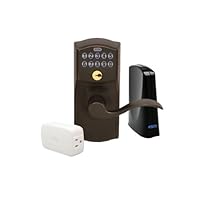
Schlage LiNK Wireless Keypad Entry Lever Lock Starter Kit System, Aged Bronze

Schlage LiNK Wireless Keypad Entry Lever Lock Starter Kit System, Aged Bronze
  • Receive email or text notifications
  • Install and set up the system with ease
  • Remotely monitor access to your home
  • Access your home from anywhere
  • Monthly subscription fee required for remote access

I love this lockset really. I've had it for over a year. When I bought it I too didn't realize that Schlage wanted to sell their internet service. I was very disturbed by this and didn't buy into it. Instead I bought a "Vera" controller from Micasaverde.com to control it. Vera connects to my internet connection and controls ALL my Z-wave based systems (this Schlage lock included) with NO SERVICE CHARGE! You buy/install the Vera system, mate it with the lock (don't need Schlage's internet controller) and off you go. You can lock/unlock remotely. You can change access codes remotely. You can get notifications of the lock being accessed, door opened, etc.. I entered 6 codes to cover my family needs, friends and a variety of service people.

I am buying another lock for another property and already have another Vera (which also controls lights, thermostats, IP cameras, etc.).

If you want this lock and want a great way to get into DYI home automation buy it and pair it with Vera.

By the way I am not affiliated with Schlage or Micasaverde.com in any way.

I'd rate the lock 5 star except I disliked the Schlage marketing/non-marketing of their service and pairing it with other Z wave controllers does take time.

Buy Schlage LiNK Wireless Keypad Entry Lever Lock Starter Kit System, Aged Bronze Now

I was very happy about the arrival of my Schlage LiNK door lock. It was easy to install, taking only about a half hour to replace an existing lock on my front door. It is also easy to use once setup. The setup process is a little complicated, requiring carrying the wireless connector to within a few feet of each device to be included in each individual's home system and pushing several buttons in a timed period. There are no included combination programming instructions included although the instructions state that such programming is possible. After the more than $300 dollar purchase, to find that the entire wireless operation won't work unless you subscribe to the $12.99 per month web service was very upsetting, especially since I only have one lock. The same lock, without the wireless capability can be had for about half the price. If I had to do it again, Although I love the lock, I would not have purchased it had I known the service was required and cost so much.

Read Best Reviews of Schlage LiNK Wireless Keypad Entry Lever Lock Starter Kit System, Aged Bronze Here

I love this lock. I haven't signed up for the wireless access yet (it's $13/mo) but program it manually. You can easily change the master program code to something you can remember.

One noteIf you have a standard door with 2 holes already drilled (say a handle lock & a deadbolt) this all in one lock probably won't cover both holes and you'll need to get a metal cover plate or use the Schlage deadbolt version which doesn't lock automatically behind you. So make sure to read the measurements carefully if you're putting it into an existing lock hole.

Want Schlage LiNK Wireless Keypad Entry Lever Lock Starter Kit System, Aged Bronze Discount?

I should have read the reviews before I bought this item.

The first thing to mention is the cost of the "service". I bought these, then realized that I had to pay an annual fee to use the Schlage service. I decided not to use the Schlage service, and, to buy the z-wave bridges from micasa instead. I purchased a vera 3, which does not require an annual service charge. So, I do not recommend the Schlage "bridge" that is included in this package. It is simply not worth it. The bundle is not worth it, because of the extra cost to buy the Schlage "bridge". Then, there's the cost of the service. It is not worth it. I purchased the vera 3 to control the locks, and it (the vera 3) works just fine.

The locks are a different matter. One of the three locks was dead out of the box. Unfortunately, I did not realize this until the lock was already installed on the door. Luckily, I was only on my second lock installation, so, I just installed my third lock and left the broken one for the last install. I was able to sync the two working locks with my vera 3 with very little effort. And, everything worked fine.

About a week after my install, one of the locks stopped working. I ended up changing the batteries, and, this fixed the problem. But, I clearly do not want to have to replace the batteries every week. Not a good sign.

Instead of immediately returning the defective items to Amazon, I tried to contact Schlage for support. BIG MISTAKE! If your lock is defective, and, you still have the opportunity to return it to Amazon DO IT! The Schalge support desk is worthless! These people wanted me to REINSTALL the lock on a door in order to diagnose the issue with the lock! Ridiculous! But, I kept trying to work with the Schlage folks to get the locks fixed (two of the three that I purchased). And, during this process, the return period for Amazon expired. Now, I am stuck with two locks that do not work. And, I am still trying to deal with Schalge support to get the locks replaced.

Let me review:

Bridge is worthless, unless you want to pay a $100+ annual fee

Two of the three locks I purchased malfunctioned with the first 30 days

Schalge customer support is worthless

If I were going to do this again, I would not buy the bundle (this item), I would buy the locks independently. And, at the first sign of trouble (within the Amazon return period), I would return the locks to Amazon as defective. If you end up having to deal with the Schlage customer service good luck!

Save 69% Off

While I understand some of the negative comments out here, I'd like to offer my perspective. I own a condo in another state which I have to rent out in order to make ends meet. Now, I could have the uncertainty of sending keys to my guests, hoping they don't reproduce them while they're staying in the condo, but that was unsettling for me. I needed a way to provide them access during the timeperiod for which they paid, and then deny them access after they checkout. Too, I have a cleaning service come in, inbetween rentals.

This lock is perfect for my needs. I can add/delete user code remotely, from my cell phone or from my PC. If the code doesn't work, I can send a remote unlock. If the cleaning company doesn't work out, I can remove their code without the worry that they'll re-enter after I've fired them. I can remotely turn on the light for times when the condo is sitting empty. And, although I haven't purchased it yet, in the future I will get the thermostat so that I can monitor/adjust it remotely, too.

Its a win-win for me.

True, I have to pay $20 for Internet service plus the $13 for the monthly service, but I am hoping I can recoup some of those fees from guests who want to opt for WiFi while they're renting from me.

Finally, the service will allow me to add other houses. So, for the $13/month (less if you pay annually), I can manage a lock on my permanent residence, too.

It is a solution I likely would not have opted for had I not had the other property, but am glad it was available for my requirements.

iHome iP47 Bluetooth Clock Radio for iPod and iPhone (Black)

iHome iP47 Bluetooth Clock Radio for iPod and iPhone
  • Plays and charges iPod mini 1G; iPod nano 1G, 2G, 3G, 4G; iPod classic 4G, 5G, 5.5G, 6G; iPod touch 1G, 2G; iPhone 1G, 3G
  • Wirelessly stream music from your Bluetooth-enabled phone, PDA, or computer
  • Controls Bluetooth-enabled cell phones and other devices; supports the Handsfree, Headset, AVRCP, and A2DP Bluetooth Profiles
  • Wake and Sleep to your iPhone, iPod, Bluetooth enabled device, FM radio
  • 4 speaker stereo (two active, two passive) with Reson8 technology for full, rich sound

Be warned, this product only has a 90 day warranty. After owning this product for only five months it began producing an overwhelmingly loud hissing noise that could not be remedied. Thinking I had a year warranty like most modern products, the iHome company quickly informed me of my expired 90 day policy. Now I have a defunct product not even six months old, complete waste of money.

Buy iHome iP47 Bluetooth Clock Radio for iPod and iPhone (Black) Now

So I bought the iHome IP47 model so that I could charge my iPhone while listening to music at night. I was also looking at something that would wake me up in the morning--this model boasted 2 alarms. And what edged me to buying the IP47 rather than the IP9 or IP99 was that this allowed you answer your phone while still docked. As I don't have a landline, I liked this idea, even if it cost me some extra bucks.

So... getting this home and setting it all up, I was mighty disappointed that the sleep function didn't really work. Yeah, after 15-30-60-120 minutes the sound tapered into silence BUT my iPod portion was STILL going! Ha! All it did was turn the sound off!

Secondly, I could never get the one alarm that is supposed to trigger the iPod to work. It always defaulted to the buzzer. I was also disappointed to find that the other alarm was set to trigger only the radio--I couldn't choose iPod for that one too.

Thirdly, the nice bonus of a remote to adjust your volume, advance to the next song, etc. was a nice idea, but not an actuality. The advance to the next song feature worked directly after first docking the iPhone with the iPod already playing, but the feature stopped working after a minute or two. Volume still worked, as did the ability to pause or switch to radio.

Fourthly, the Bluetooth to connect my iPhone so that you can use the phone function part of the iHome IP47 only worked some of the time. Even when docked, it sometimes would lose the signal.

And lastly, the thing that bugged me the most and decided me against even exchanging the IP47 for either a IP9 or IP99--which were basically the same thing but without the Bluetooth phone feature--was the docking station. It was very precarious setup and, as I had to touch the iPhone screen sometimes since my remote wouldn't work, pushing buttons also pushed the whole phone, making me wonder how long it would take to ruin my iPhone.

So I returned the iHome -period... no exchange. The people at Apple didn't even ask *why* I was returning it. (I wonder if that's telling.)

In the end, I bought a Sony Speaker Dock and Alarm Clock Radio that works with the iPhone. (I'd give it 4 1/2 stars)

* Sleep function that really works (turns your iPod off)... check

* Remote that actually works... check

* Remote that allows you to move OUT of the playlist and into another... double-check! (iHome doesn't do this at all!)

* 2 Alarms where both allow you decide what you want to wake to... check

* Dock that has a backstop to hold your phone securely (and recharges your phone too)... check!

* Able to answer phone while docked... well, no, but not missing it

* Sound quality... check--about the same as the iHome

* Right price... check--about the same as the iHome IP9.

Bottom line: I recommend AGAINST the IP47--not worth the money--even if it was half the price. Think twice about the other iHomes, as well, considering the docking strategy Apple uses for them.

Read Best Reviews of iHome iP47 Bluetooth Clock Radio for iPod and iPhone (Black) Here

Positive: Interference free iPhone usage and great ergonomics

Negative: Needs more phone features

I purchased this for 4 reasons:

1. No interference from iPhone while listening to iPod function

2. No interference from iPhone while listening to AM/FM radio

3. Charging dock for iPhone while I'm at the office.

4. Bluetooth speakerphone which allows me to answer and make calls while leaving the iPhone in the dock

So how well does it do?

Regarding reasons 1 and 2 above, the iP47 works flawlessly. I have had absolutely no noises while my iPhone was docked or residing near it in the regular phone mode. I don't hear any hiss, hum, pops or clicks. The speakers are excellent for spoken words such as podcasts and AM talk radio. The speakers are decent with great volume for music and FM radio. If you're a big podcast fan, I strongly recommend the iP47. The AM/FM radios include a small AM loop with stand (1.5' of cord) and FM cord (3'). The reception is good as I have a history of bad reception in my office building.

Regarding reason 3, the dock came with a variety of bases for the iPhone and other iPod devices. It is easy to move the iPhone in and out of the dock. Unfortunately, the dock is at the top, so there isn't any backstop for the iPhone. I was concerned about this since you lightly push on the phone to change settings while it is in the dock. My concern was that either the dock or phone might get stress damage by pushing on the phone while it's in the dock. The buttons on the iP47 and on the remote control help to prevent the need to touch the phone, but they don't completely replace it. One big plus is that the phone can make and receive calls without losing your place on the iPod or other Apps on the phone.

Regarding reason 4, this was really an afterthought when I was comparing this device with others. I really like the fact that I didn't have to remove the phone from the device to make and receive calls. The speakerphone works great when you use a regular speaking voice and you are 9" to 2.5' from the iP47. Both the iP47 and the remote have dialing capability; however, I was disappointed that it didn't include basic phone features such as last number redial and storage of 10 frequently called numbers. To make a call, you either have to enter the phone number by hand (not my preferred alternative now that everybody has some many numbers) or use the iPhone touch screen while in the dock (see my comments above).Since the iP47 uses Bluetooth, the iPhone doesn't have to sit in the dock to use the speakerphone capability. In the final analysis, I really like this feature and I'm glad that I spent more $$ to get this unique capability.

Other comments: I didn't buy this phone for the alarm clock, but that seems to be standard if you want an AM/FM radio and iPod/iPhone dock. However, it does have a couple of great features including a 4 position dimmer (including no light) and 2 alarms (one iPod and one radio). It doesn't have the 2-5-7 day feature that I use for my home alarm clock, but it is very easy to turn off and on. I also like the day light savings time adjustment which is a simple on/off switch on the back. The iP47 has an input jack, but I haven't tried that. All in all, this is a great device. I wouldn't have paid full retail for it, but I got a great deal from an Amazon.com merchant.

Want iHome iP47 Bluetooth Clock Radio for iPod and iPhone (Black) Discount?

This is probably one of the worse products I ever owned. I purchased it thinking it would be a great speakerphone and alarm clock for my iPhone. First I used it primarily as a speakerphone. I could hear the person/people at the other end well enough, but they couldn't hear me unless I was literally speaking right into the unit.

After becoming frustrated with that, I decided to bring it home from the office and just use it as my alarm clock. Surely it was more functional than my Sony radio alarm clock that is 20 years old. I loved the idea of waking up to music on my iPod or iPhone.

Well, unfortunately, it is not functional with my iPod touch or my iPhone. EVEN THOUGH THE WEBSITE SAYS YOU CAN USE YOUR IPHONE OR IPOD TOUCH AS A SOURCE FOR MUSIC FOR YOUR ALARM IT WILL NOT WORK. I, do, however happen to have an old iPod Photo that was collecting dust, and that works wonderfully. But that means that the lifespan of it is limited to old iPods that are either no longer being produced (like the Photo) or on their way out (like the Classic). Great.

So I contact support. I email them and a week later I get a response. It was a fairly cryptic "we know this doesn't work but we're coming out with an update soon. Do you want to wait?". I responded back as to what "soon" mean. Another week passes. I got a response with no specific date. I emailed back asking more specifics. Another week passes. I get another response that is just as cryptic and vague as the one before it. I write back asking for more clarification. And now... three weeks after that... STILL NO RESPONSE.

You have got to be kidding me. Not only is iHome falsely advertising, but they don't seem to care to make things right.

I will NEVER buy an iHome product again and STRONGLY encourage anyone looking to look elsewhere.

This product doesnt support the new upgrades for the iphone. The music doesnt stop when switching to different modes like iphone to fm or am and the remote doesnt stop the music from playing. Everytime you switch modes and then go back to ipod or iphone you have to redo the bluetooth in order for it to work. I would not suggest for iphone owners to buy this product.